Demo data is sample content for testing purposes. It includes sample teachers, parents, students, classes, enrolments, and sessions so you can explore all features without entering real data. Great for testing the system.
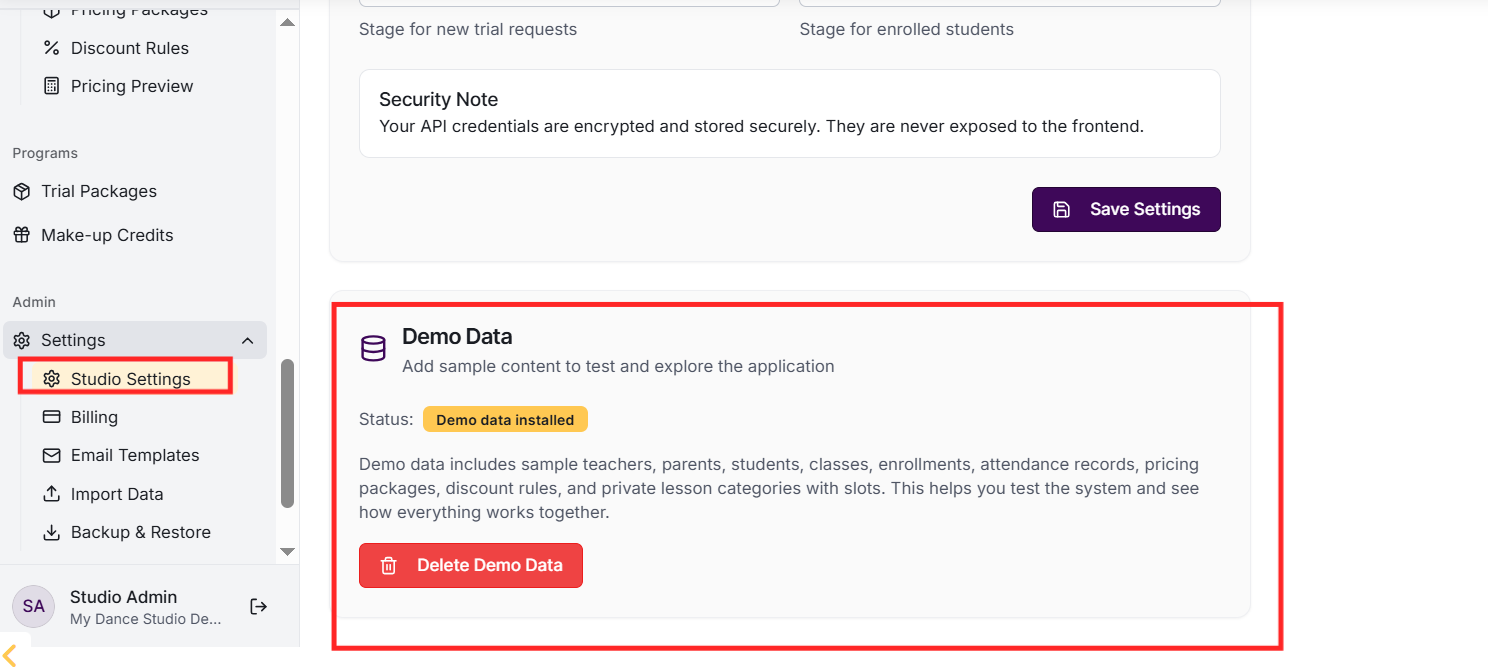
Go to Settings and integrations, scroll to the Demo Data section. Click 'Apply Demo Data' and confirm. Sample content will be created including 3 teachers, 5 parents, 10 students, and 10 classes with enrolments across different styles and age groups.
Can I log in as demo users?
Yes! Demo users have usernames like demo_teacher_1, demo_parent_1, demo_student_1. All demo users have the password 'demo123'. This lets you test different user roles and workflows from their perspective.
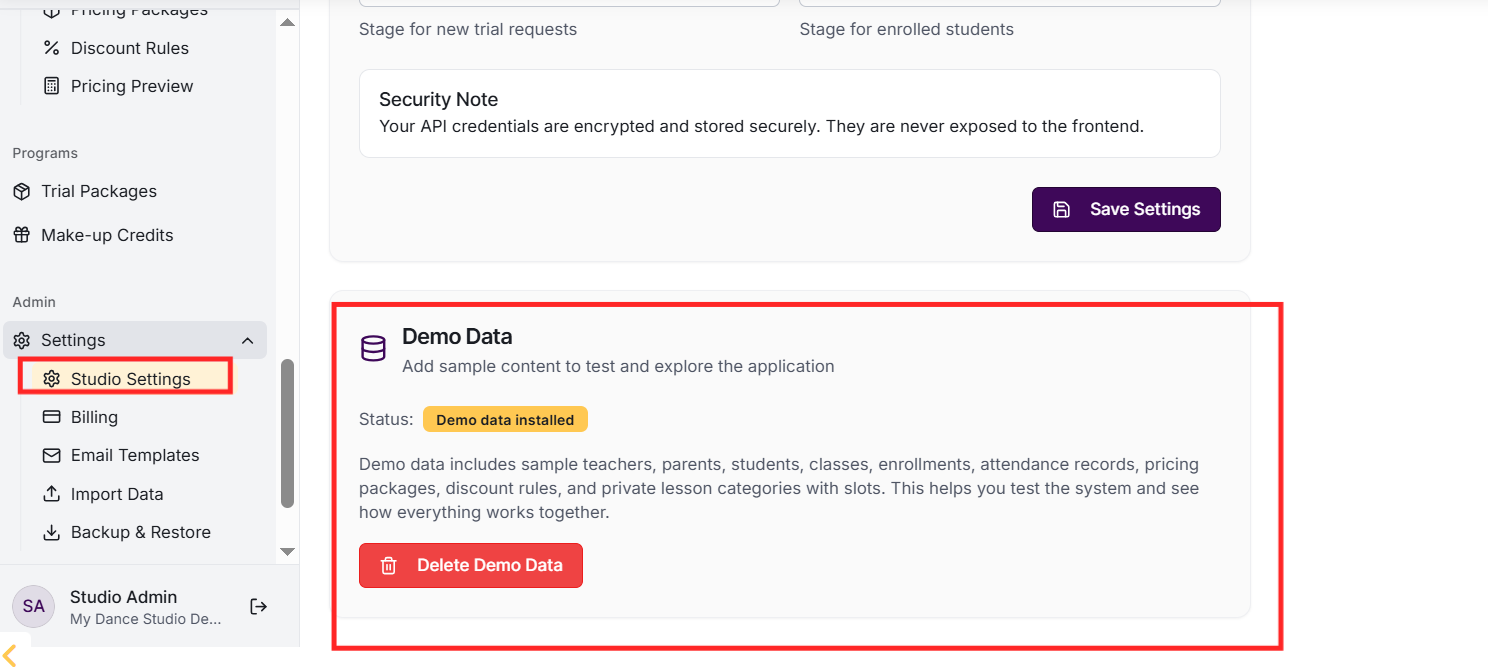
Go to Settings, find the Demo Data section, and click 'Delete Demo Data'. This removes all sample content including demo users, classes, enrolments, and related data. Your real data is not affected.
Will demo data affect my real data?
No, demo data is clearly marked and separated from real data. Demo users have 'demo_' prefixes. When you delete demo data, only demo content is removed - your real families, classes, and records are untouched.
