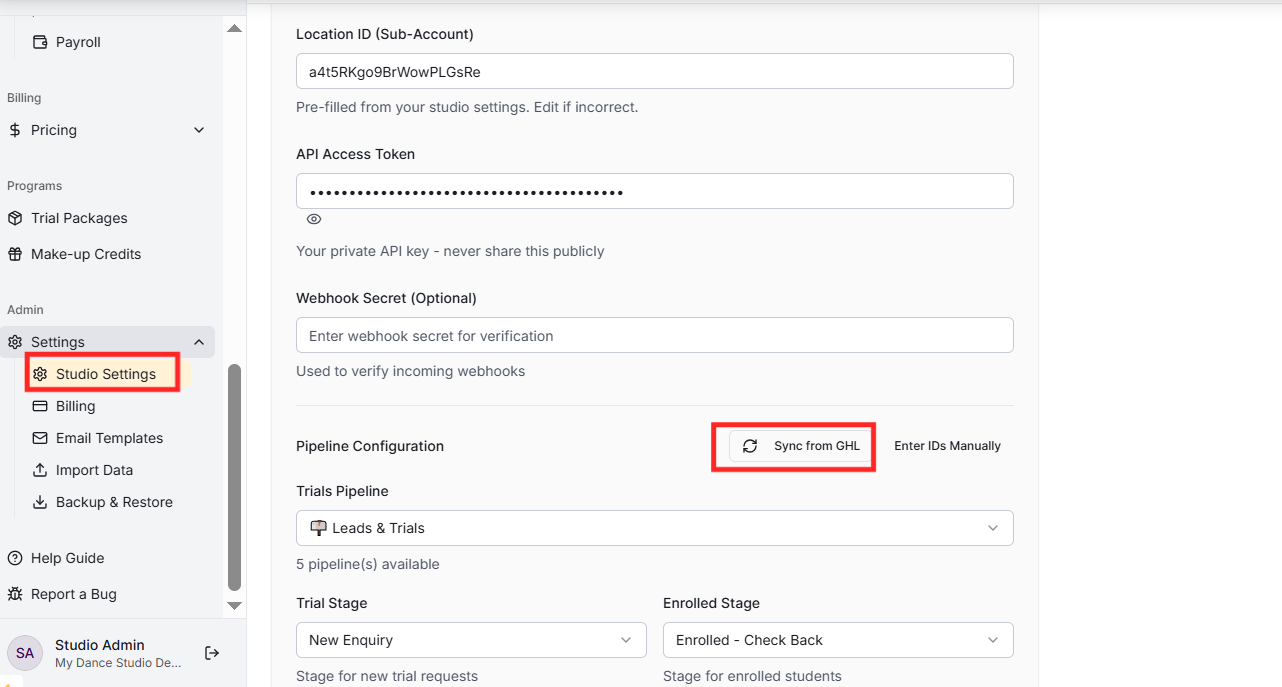
Go to Settings and scroll to the MSM Integration section. Enter your Location ID, API Access Token, and optionally a Pipeline ID for trial tracking. This enables contact syncing, SMS notifications, and opportunity tracking.
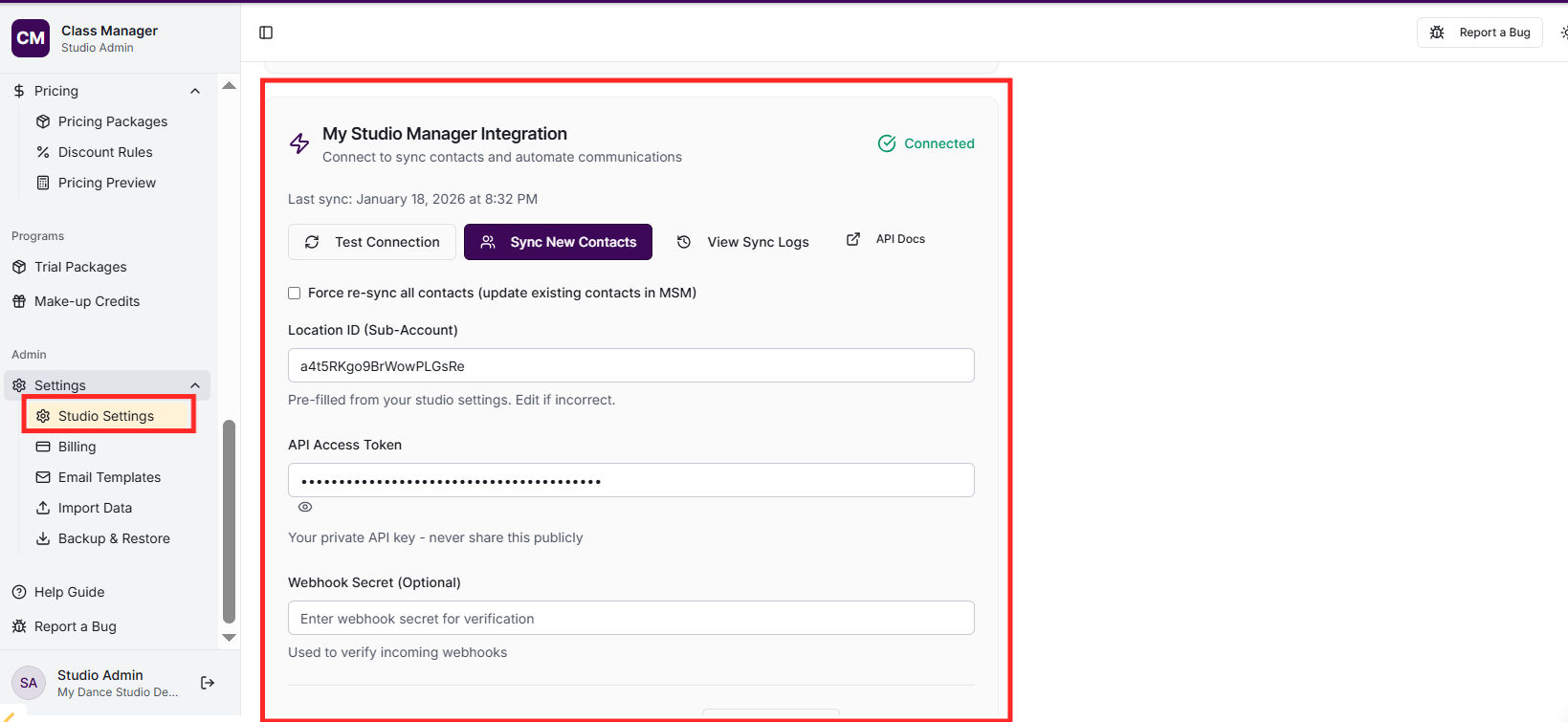
How do I sync contacts with MSM?
Go to Contacts in the sidebar and click 'Sync from GHL'. This creates or updates contacts in your HighLevel account with appropriate tags (MSM:Parent, MSM:Student, MSM:Teacher). Sync can be run manually or happens automatically for new contacts.
How does automatic enrollment tagging work?
When students are enrolled in classes, Class Manager automatically adds tags to their MSM contact: 'MSM:Class:<className>' for each enrolled class, 'MSM:Season:<seasonName>' for season-based classes, and 'MSM:Status:Enrolled' to indicate they're an active student. When enrolments are removed, these tags are automatically updated - class tags are removed, and season tags are removed only if there are no other active enrolments in that season. This keeps your MSM contact tags in sync with your studio's enrolment data.
When parent-student links are created, Class Manager syncs relationship tags to MSM: Parents get 'MSM:ParentOf:<studentName>' tags for each of their children, and students get 'MSM:StudentOf:<parentName>' tags linking back to their parents. Role tags 'MSM:Parent' and 'MSM:Student' are also added. This enables powerful MSM automations based on family relationships.
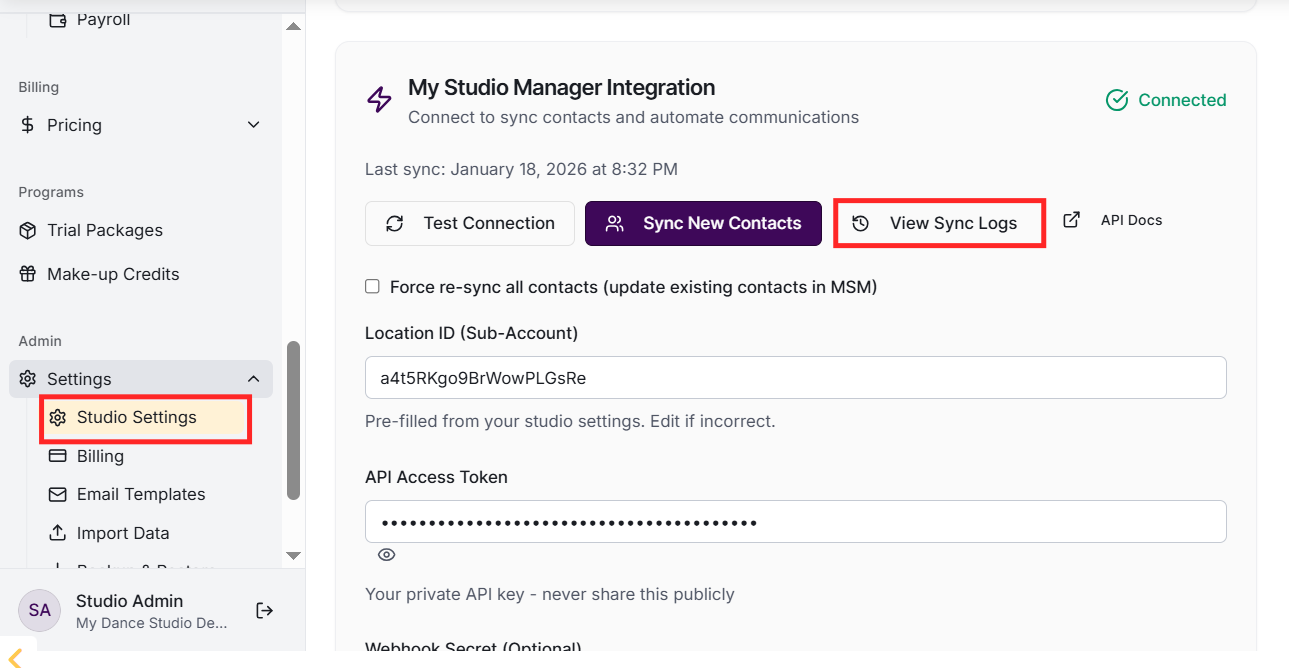
Sync Logs show the history of all MSM synchronisation attempts. You can see which contacts were synced, when, and whether there were any errors. This helps troubleshoot integration issues.
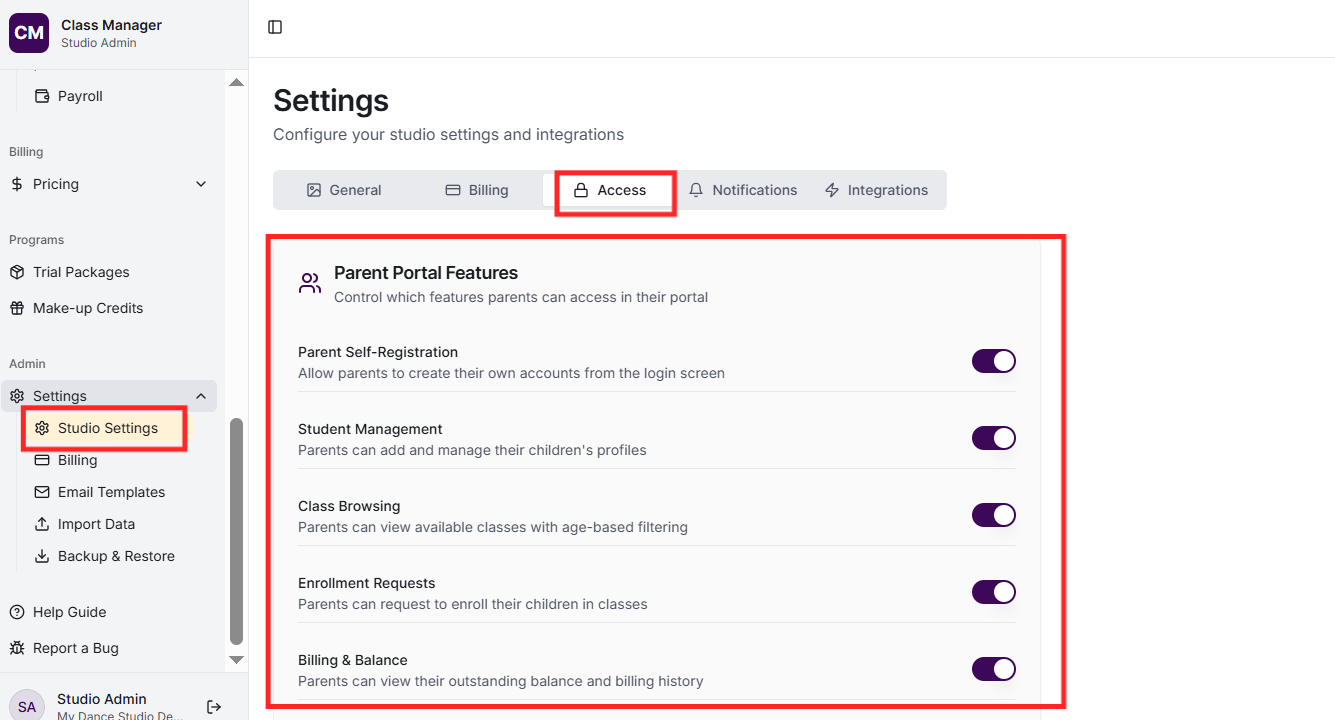
In Settings, find Parent Portal Settings. Toggle features on/off: Show Billing (parents can see their fees), Allow Class Browsing (parents can view available classes), Allow Self-Enrollment (parents can enrol without admin approval), and more.
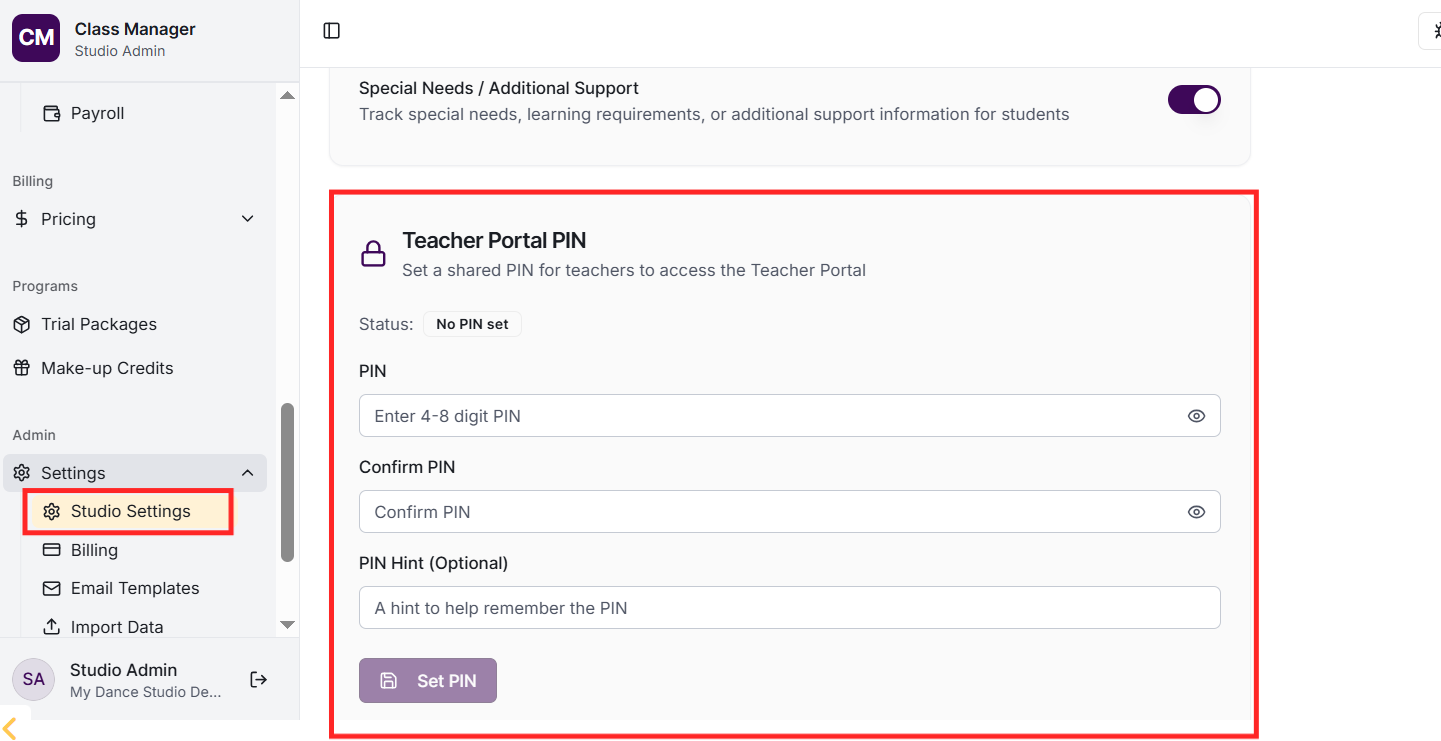
In Settings, find Teacher Portal PIN. Set a 4-8 digit PIN that teachers will use to access the teacher portal. This is separate from the admin PIN for security - teachers have different access than admins.
At the top of Settings, you can update your studio name and view your Location ID. Additional settings include timezone configuration (affects how dates/times are displayed) and region settings.
