
What are make-up credits?
Make-up credits allow students to attend a different class when they miss their regular session. Credits can be issued when students are marked absent or excused, and redeemed by parents for available make-up sessions in compatible classes.
How do I enable make-up credits?
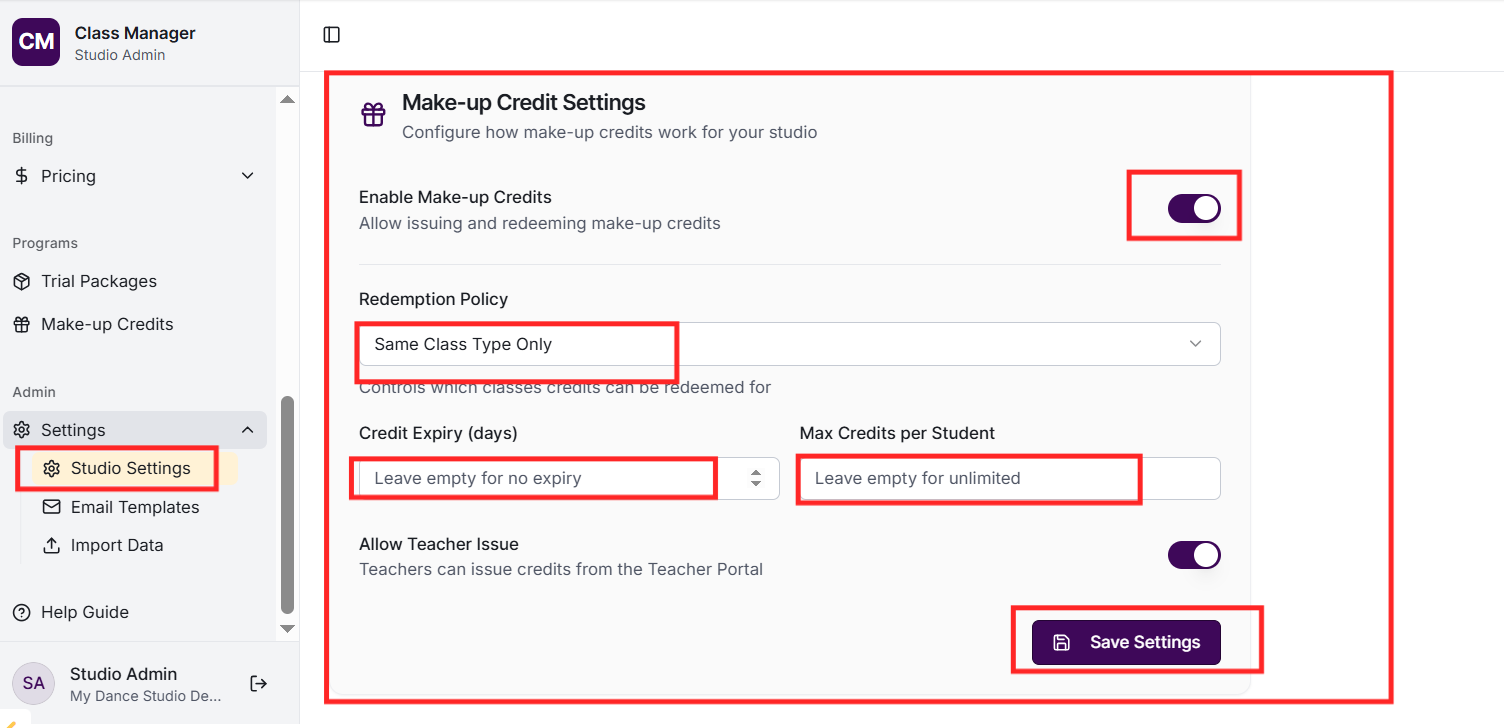
Go to Settings and find the Make-up Credits section. Enable the feature and configure settings like: validity period (how long credits last), whether teachers can issue credits, which absence types qualify, and any restrictions on redemption.
How are credits issued?
Credits can be issued: automatically when attendance is marked as absent/excused (if configured), manually by teachers when marking attendance (if allowed), or manually by admins from the Make-up Credits page. Each credit is linked to the original missed class.
How do parents redeem credits?
Parents see their available credits in the parent portal's Credits section. They can view which classes are available for make-up and redeem a credit to attend. The studio is notified of redemptions.
Can credits expire?
Yes, you can set a validity period (e.g., credits expire after 4 weeks). Expired credits cannot be redeemed. The expiry date is shown to parents in their portal.
How do I manage credits as an admin?
Go to Make-up Credits in the sidebar to view all credits. You can: issue new credits to students, void credits if needed, manually mark credits as redeemed, extend expiry dates, and see credit history and usage.