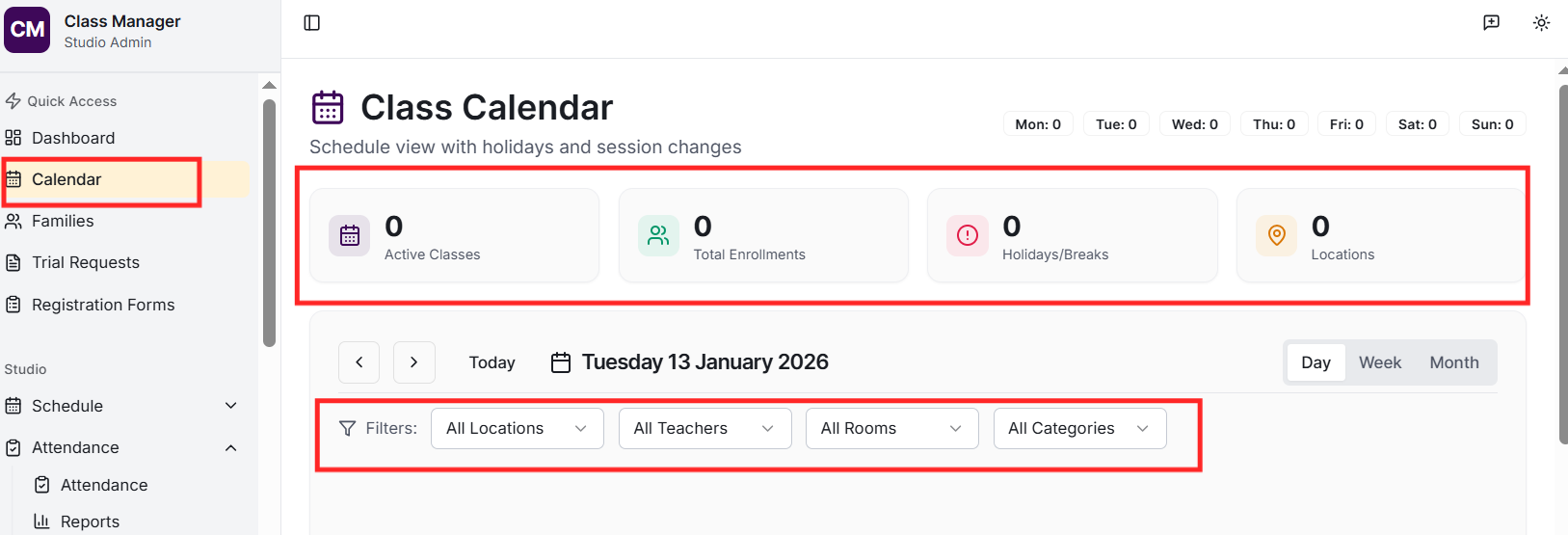
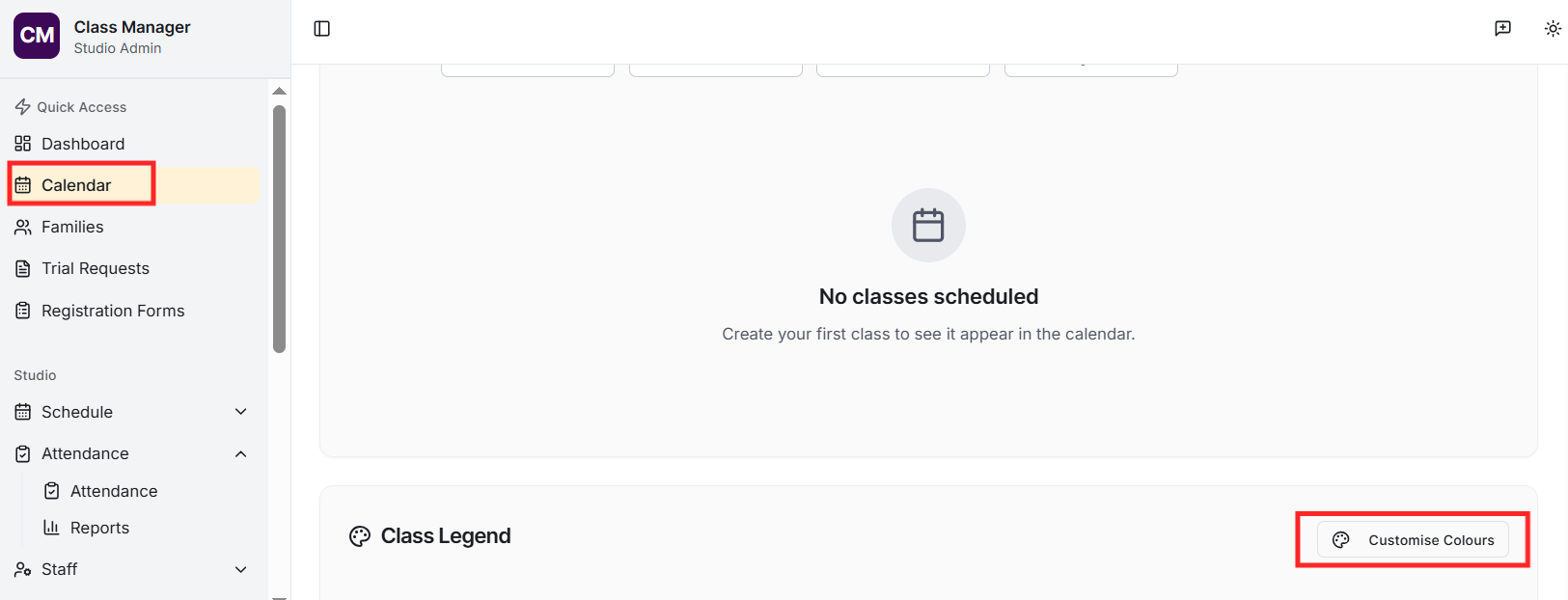
Go to Calendar in the sidebar. You can switch between day, week, and month views using the tabs. Classes are colour-coded for easy identification. Click 'Customise Colours' to assign specific colours to each class.
How do I add holidays or breaks?
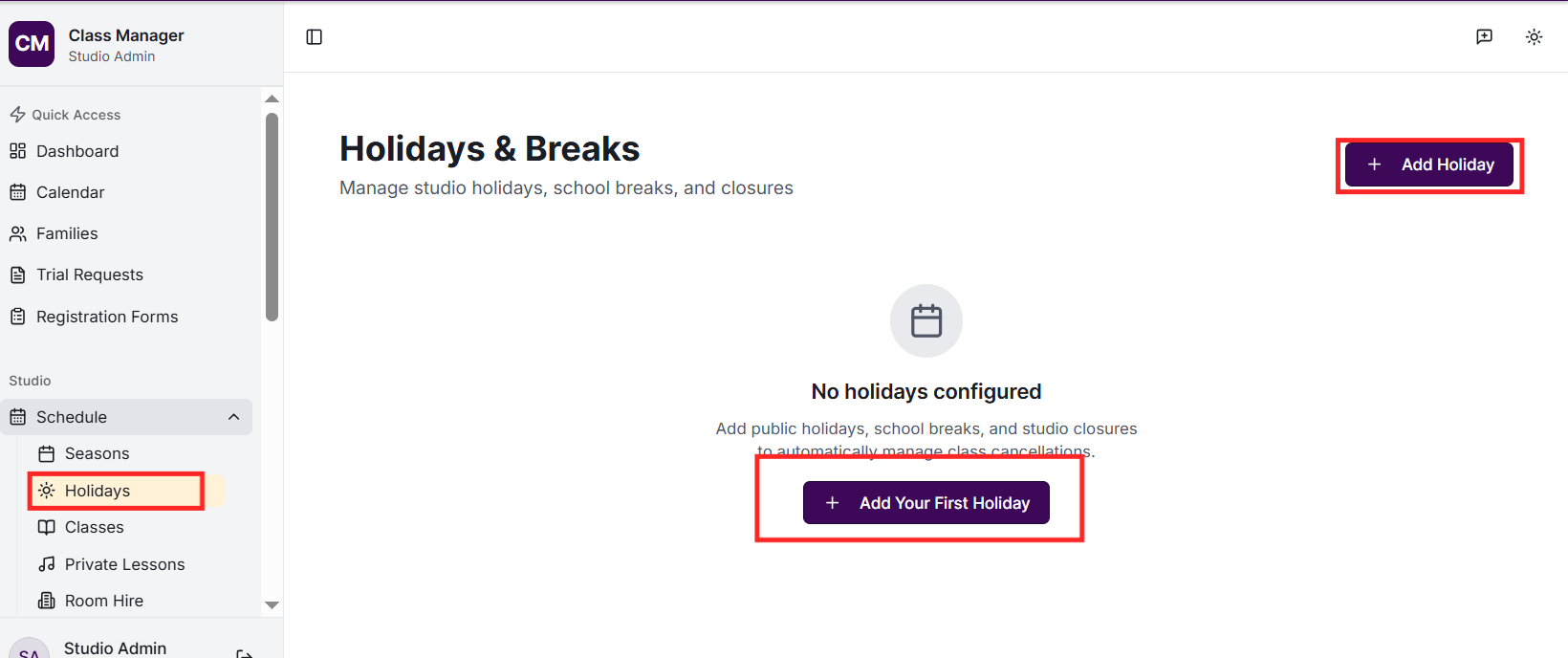
Go to Holidays in the sidebar and click 'Add Holiday'. Enter the name (e.g., 'Easter Break'), date range, and choose whether it affects all classes or specific ones. Sessions during holidays can be automatically marked as cancelled.
Can I reschedule individual sessions?
Yes! Session overrides allow you to reschedule, cancel, or modify individual class sessions. This is perfect for one-off changes like venue relocations, substitute teachers, or rescheduling due to a conflict. Find the session in the calendar and click to create an override.
If you have My Studio Manager integration configured, SMS notifications can be sent automatically when sessions are cancelled, rescheduled, or when substitute teachers are assigned. Email notifications can also be configured through the notification settings.
The calendar displays all scheduled class sessions colour-coded by class. Holidays are highlighted. Sessions with overrides (cancelled, rescheduled, etc.) are marked distinctly. Click any session to see details including enrolled students and attendance status.
