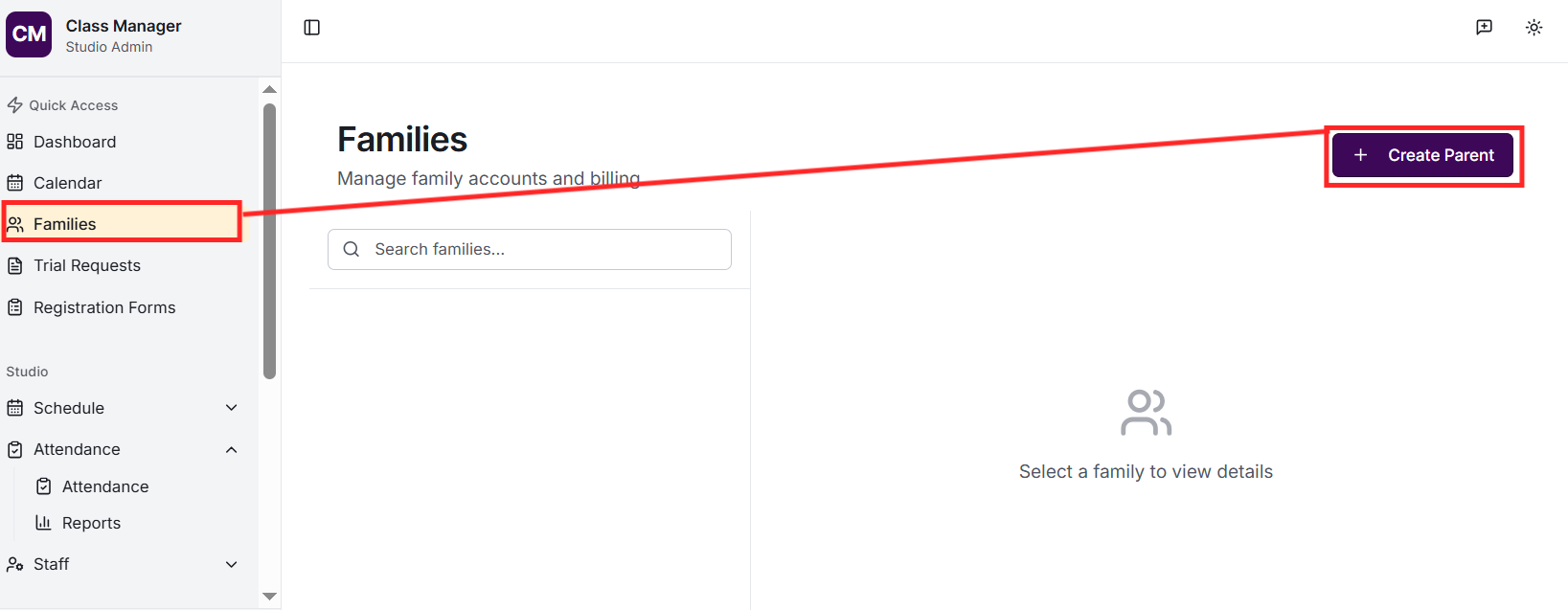
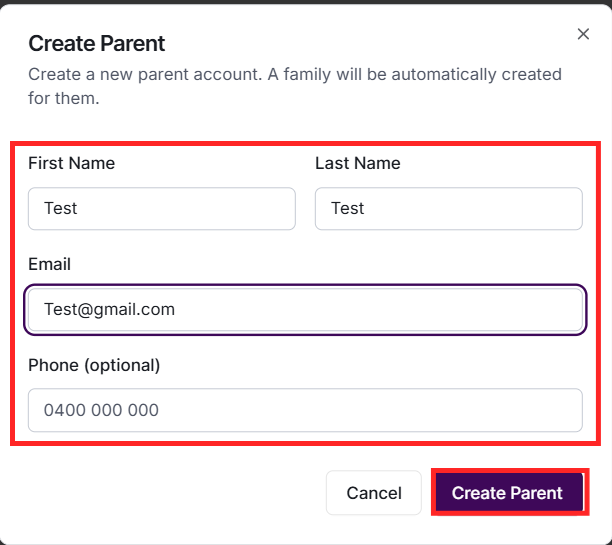
Go to Families and click 'Create Parent'. Enter the parent's details (name, email, phone) and create their login credentials. A family will be automatically created. You can then add students and additional parents to the family.
How do I add students to a family?
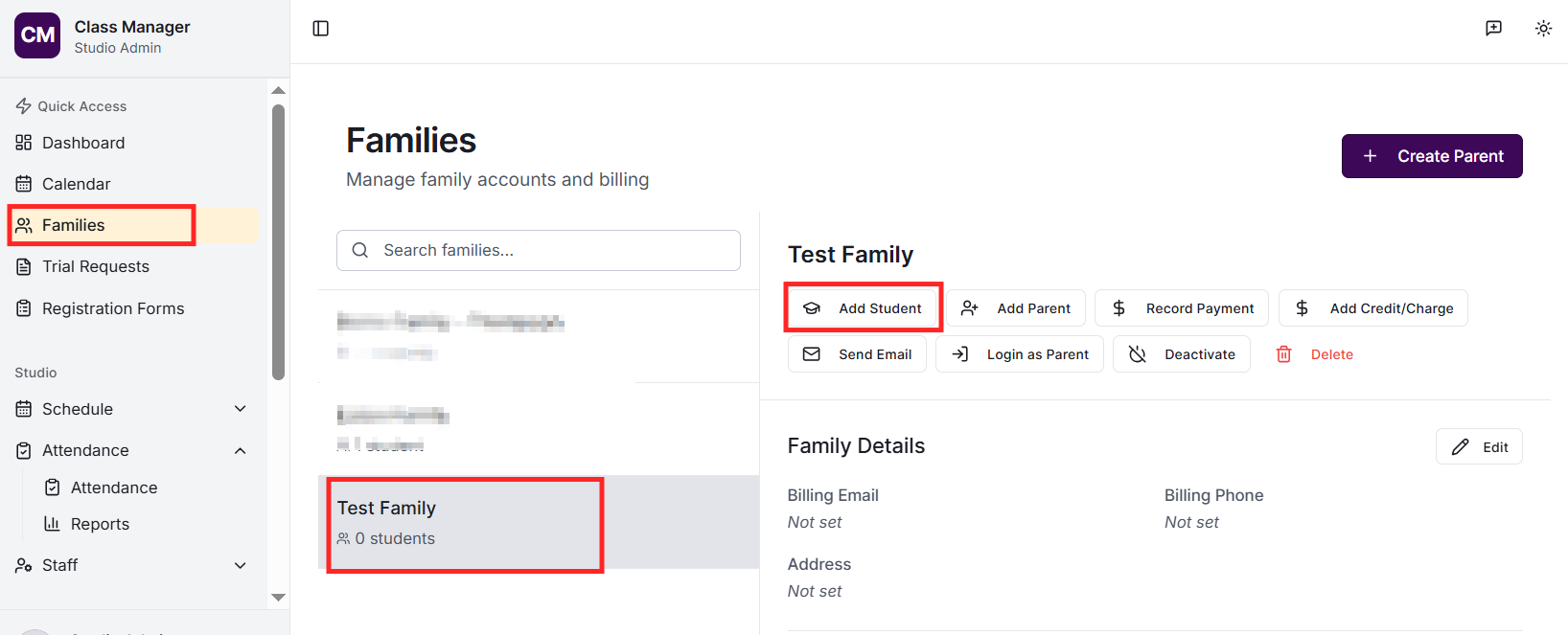
Find the family card on the Families page and click 'Add Student'. Enter the student's details including name, date of birth, and any medical notes or emergency contacts. Students are automatically linked to the parent(s) in that family.
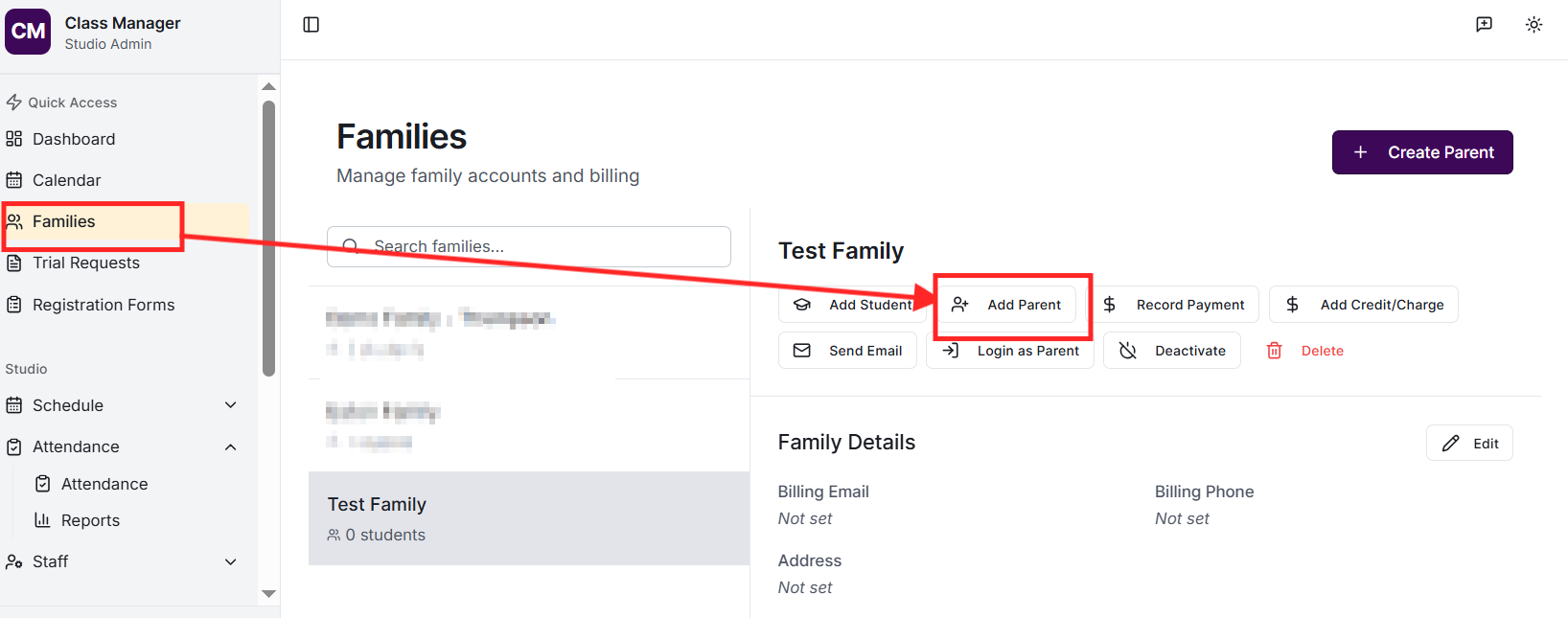
Yes! Each family can have multiple parent accounts. Click 'Add Parent' on the family card to add another guardian. Both parents can log in separately and view their children's information, manage enrolments, and access billing.
How do I reset a parent's password?
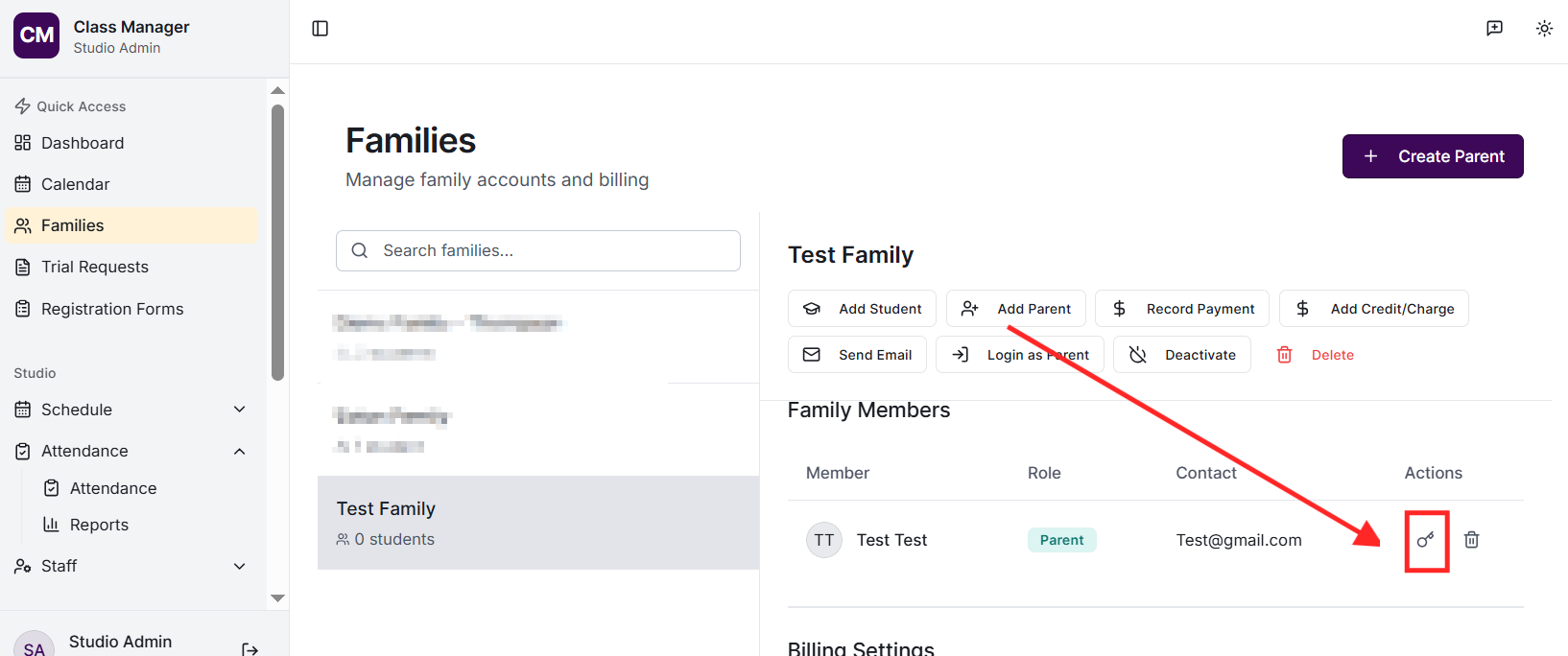
Find the parent in the Families page and click the key icon. A new temporary password will be generated and displayed. Share this with the parent securely so they can log in and change it to something memorable.
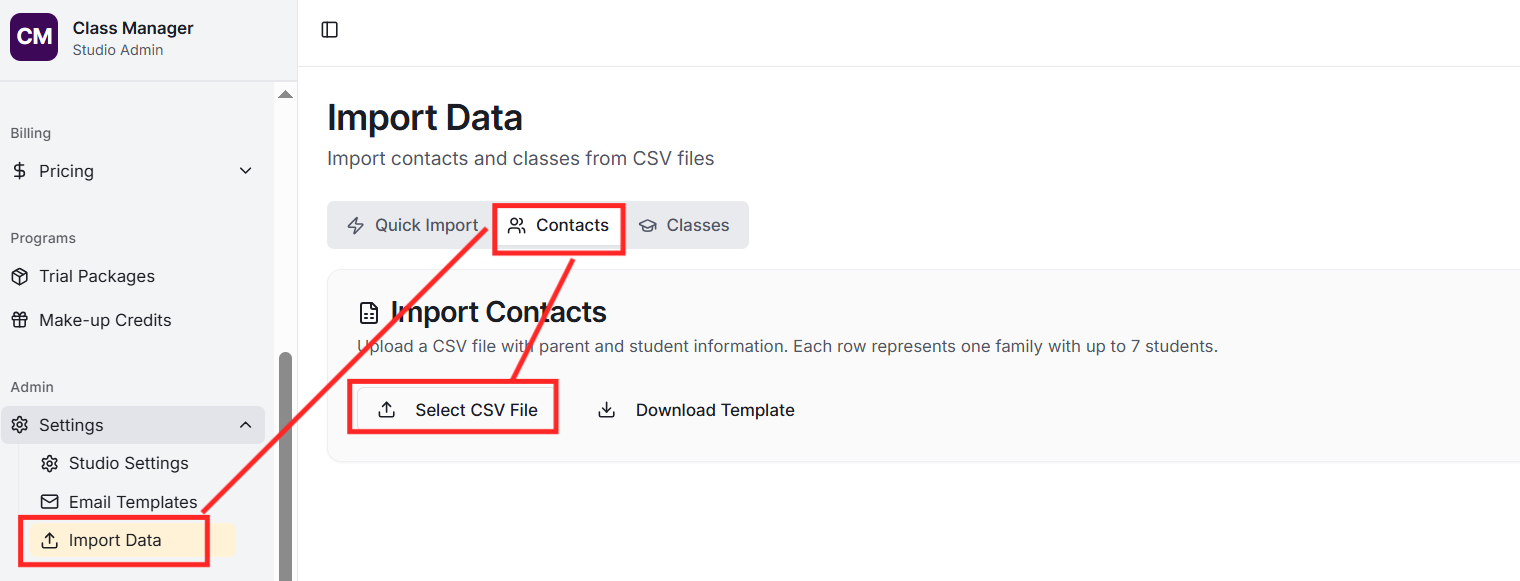
Yes! Go to Import, select 'Contacts', and upload a CSV file. You can import parents with up to 7 students per family. Required columns include parent name and email. The system validates all data before importing and shows any errors to fix.
How do students link to the rest of My Studio Manager?
If you've configured the integration, students are synced as contacts with the MSM:Student tag. Parent-student relationships are maintained. This allows you to use MSM for marketing and communication while Class Manager handles class management
Student records include: name, date of birth, photo (optional), medical notes, emergency contact details, admin notes (visible to staff only), and dietary requirements. Parents can update some of this information through the parent portal.
