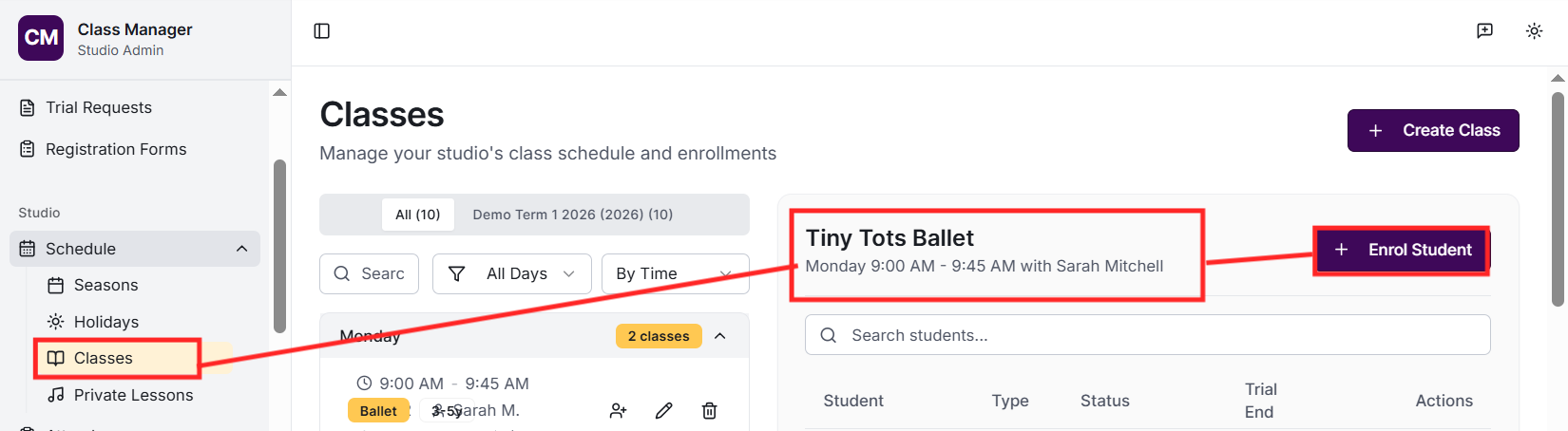
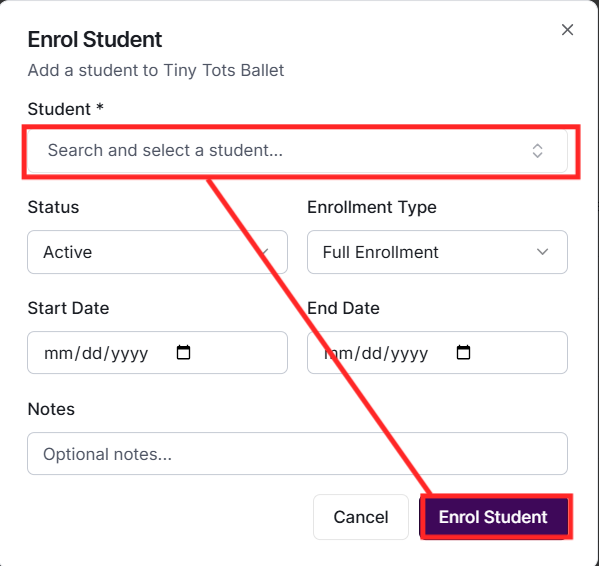
Go to Enrolments and click 'Enrol Student'. Search for the student, select a class, choose the status (active, trial, or waitlist), and optionally add start/end dates and notes. The student will immediately appear in the class roster and their attendance can be tracked.
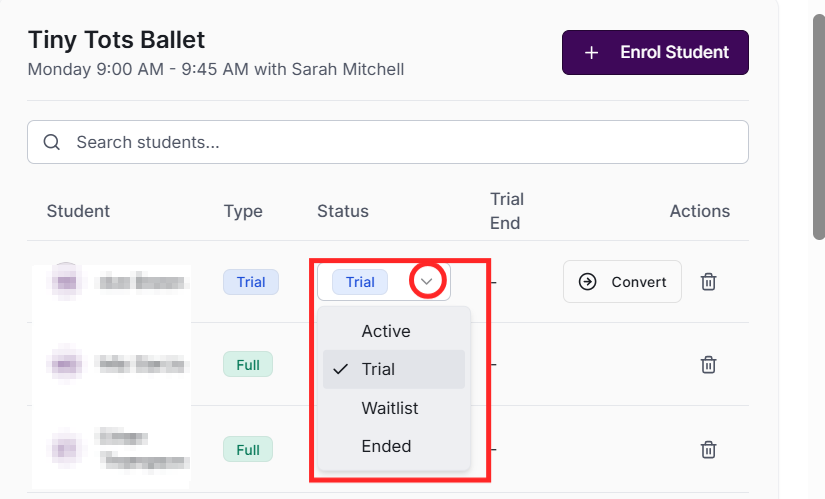
There are four statuses: Active (currently enrolled and attending regularly), Trial (trying out the class before committing), Waitlist (waiting for a spot to open), and Ended (no longer enrolled). You can change status at any time from the Enrolments page.
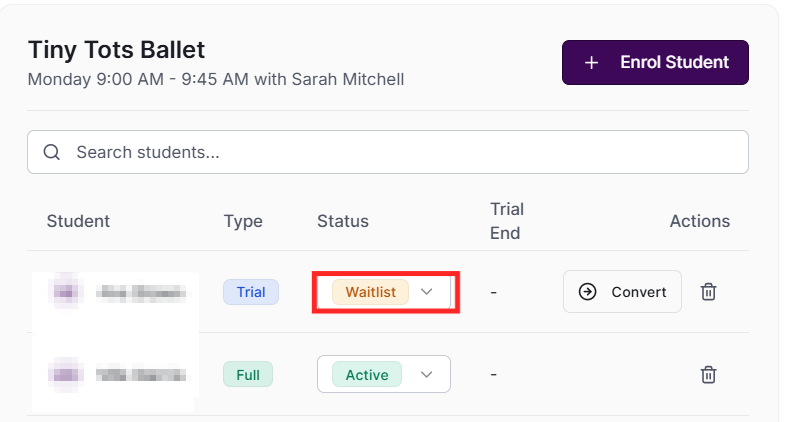
Students on the waitlist appear with a 'waitlist' badge. When a spot opens (e.g., another student ends their enrolment), go to Enrolments, find the waitlisted student, and change their status to 'active'. Consider notifying the family when moving from waitlist to active.
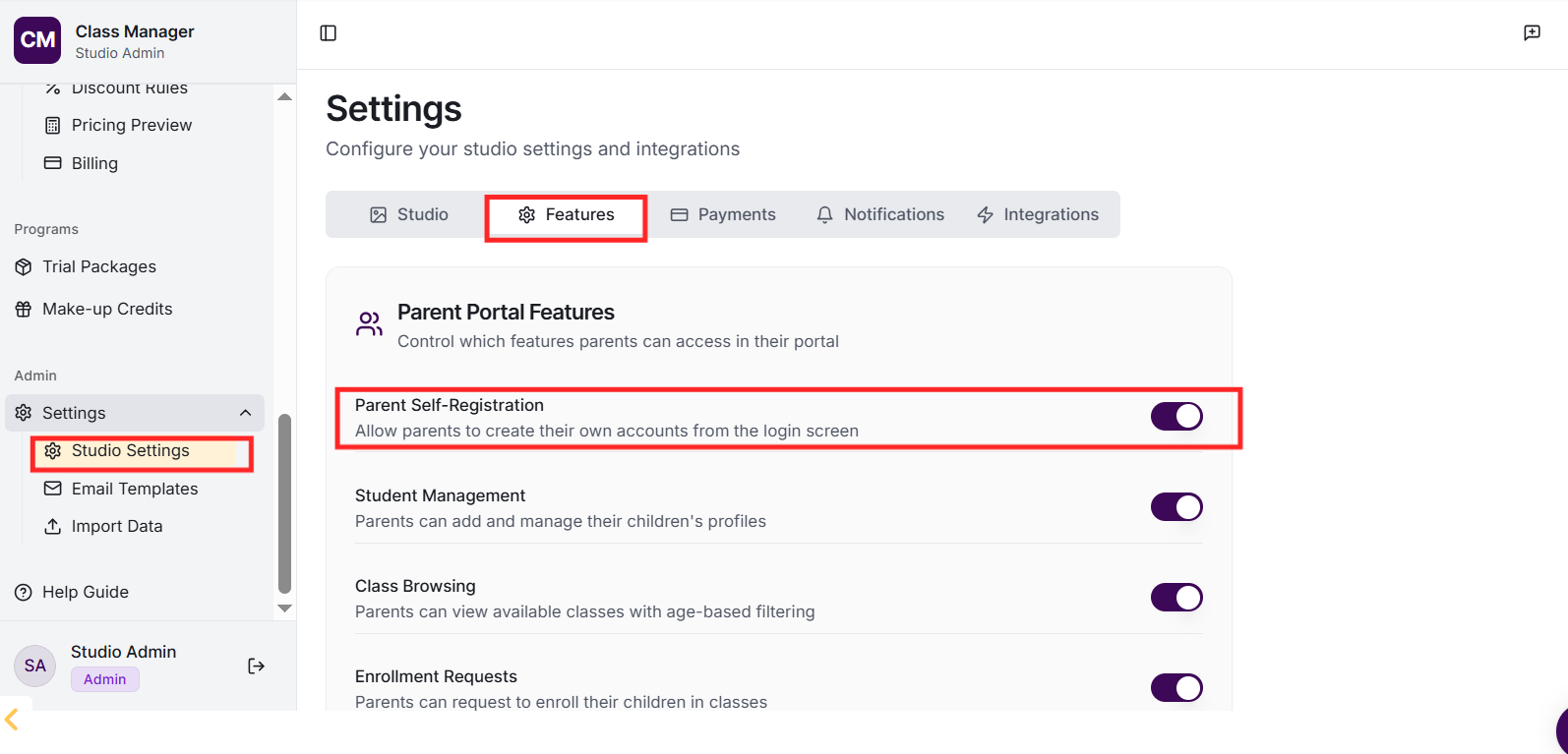
Yes, if you've enabled class enrolment in the Parent Portal settings. Parents can browse available classes (filtered by their child's age), view class details, and request to enrol. Depending on your settings, enrolments may be automatic or require admin approval.
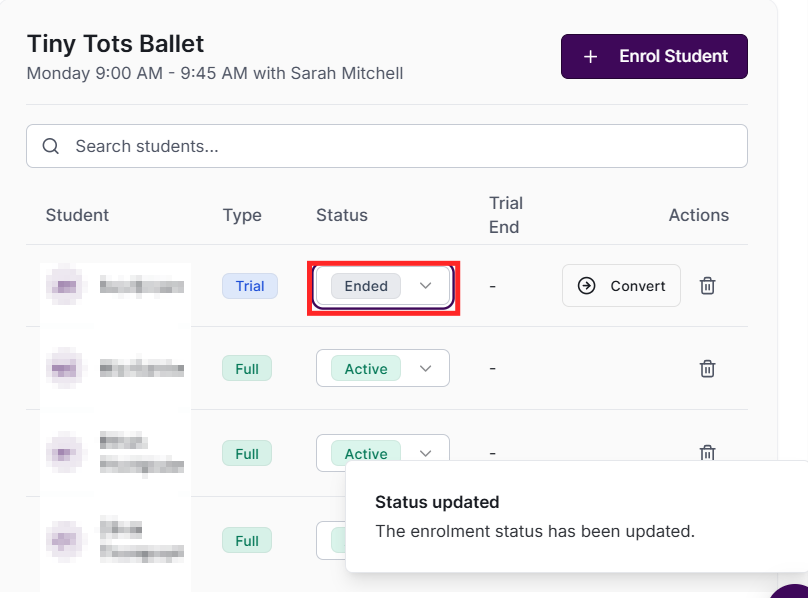
Trial enrolments allow students to try a class before fully committing. Set the status to 'trial' when creating the enrolment. Trial students appear on class rosters and can have attendance marked. After the trial period, change their status to 'active' to continue or 'ended' if they don't proceed.
How do I end an enrolment?
Find the enrolment in the Enrolments page and change the status to 'ended'. You can set an end date for record-keeping. The student will no longer appear on future class rosters but historical attendance records are preserved.
Active enrolments are included in pricing calculations. The system calculates fees based on the classes each student is enrolled in, applying any relevant pricing packages, multi-class discounts, or sibling discounts. Trial enrolments are typically excluded from discount calculations (configurable in Discount Rules).
