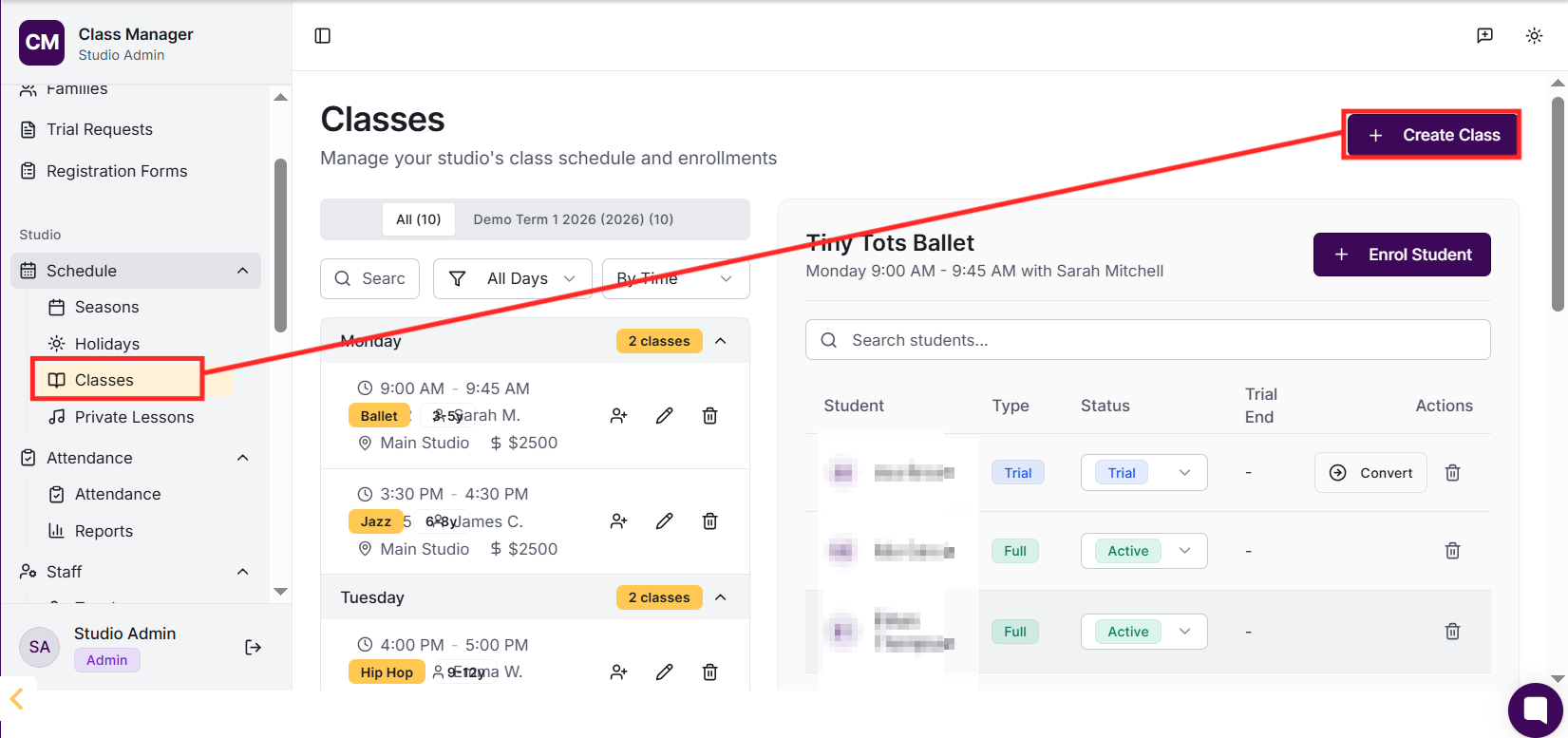
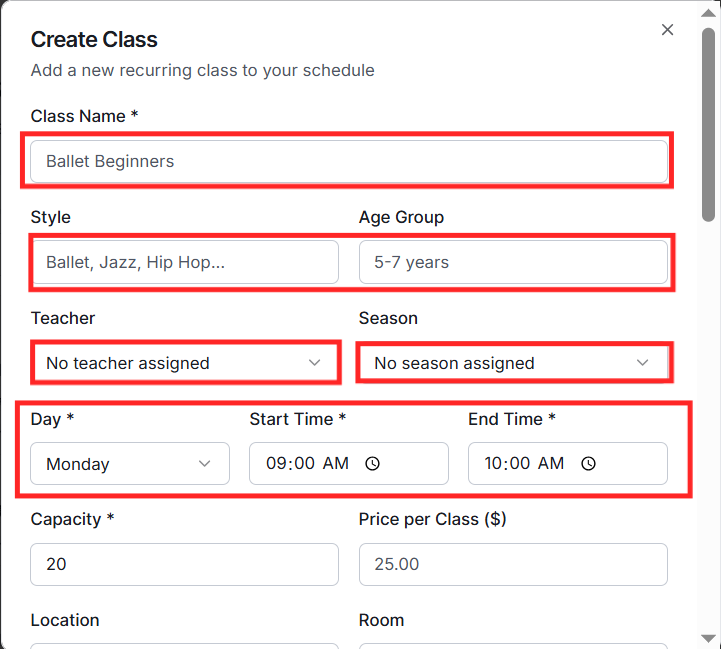
Go to Classes in the sidebar and click 'Create Class'. Fill in the class name, select the season, choose a teacher, set the day and time, duration, and specify age requirements and capacity. You can also add style/type (e.g., Ballet, Jazz), location, level, and set the class fee which is used for billing calculations.
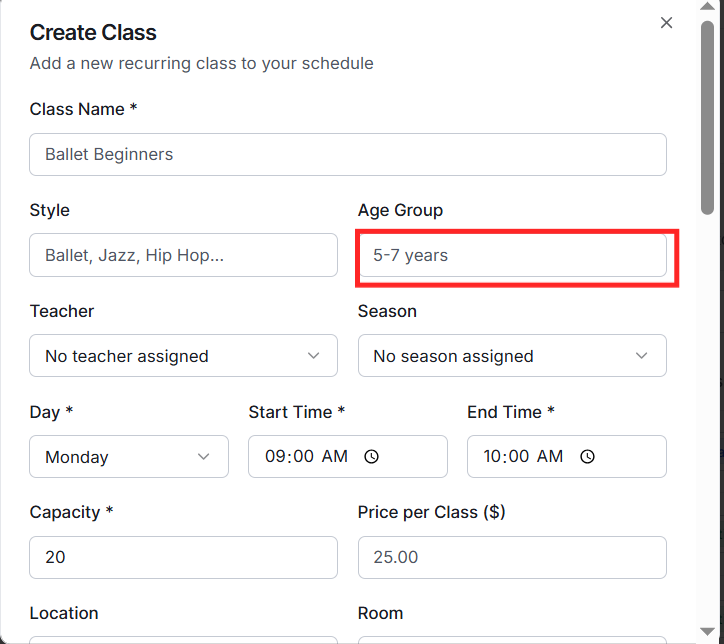
Each class can have minimum and maximum age requirements (in years). When parents register students through public forms or the parent portal, they'll only see classes appropriate for their child's age. This helps ensure students are placed in suitable classes automatically.
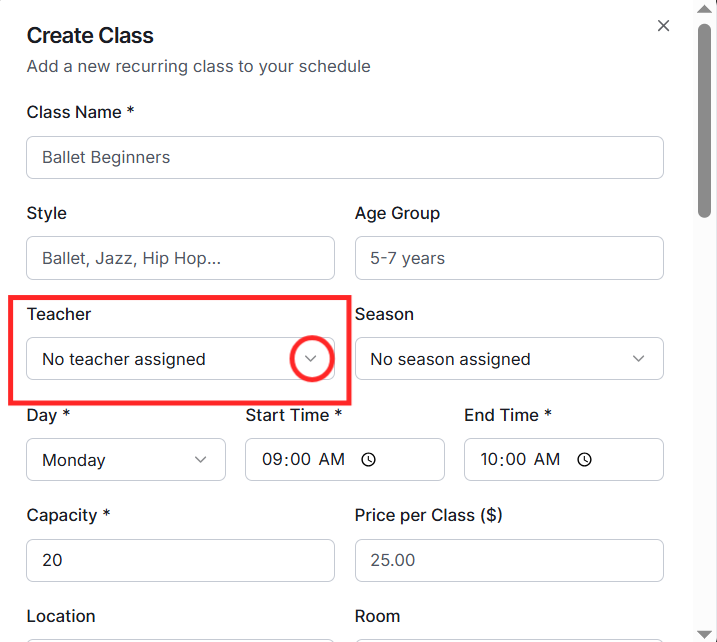
When creating or editing a class, select a teacher from the dropdown. The teacher must already exist in your system (create them in Families or Contacts first). Teachers can only view and manage classes they're assigned to through the teacher portal.
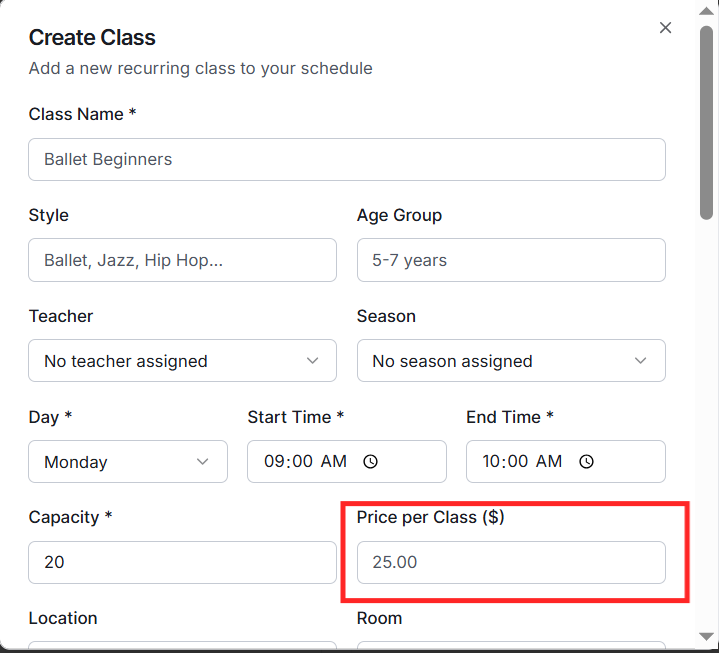
Each class can have a fee set (e.g., $25 per week). This base fee is used in pricing calculations. If you've set up pricing packages or discounts, these will be applied on top of the base class fees. Parents see the final calculated price including any applicable discounts in their billing section.
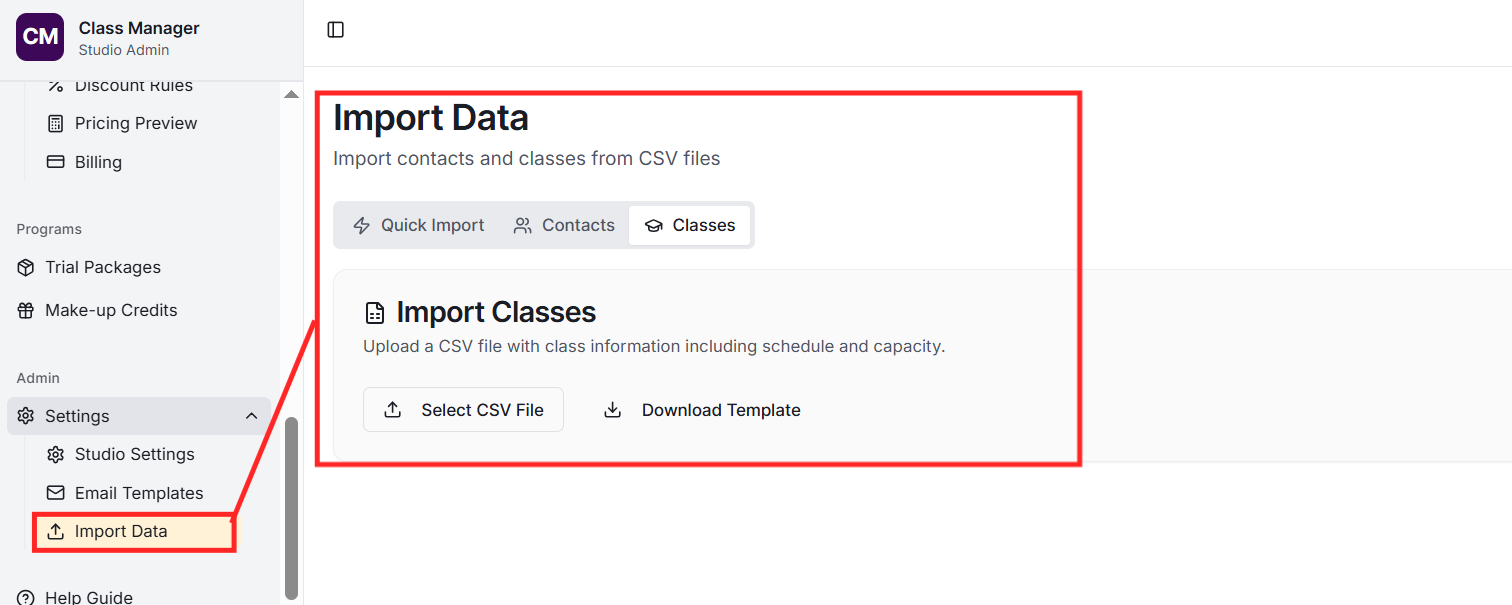
Yes! Go to Import in the sidebar, select 'Classes', and upload a CSV file with your class data. The required columns are: name, season (must match existing season name), day of week, start time, and end time. Optional columns include teacher, capacity, age requirements, fee, style, and location.
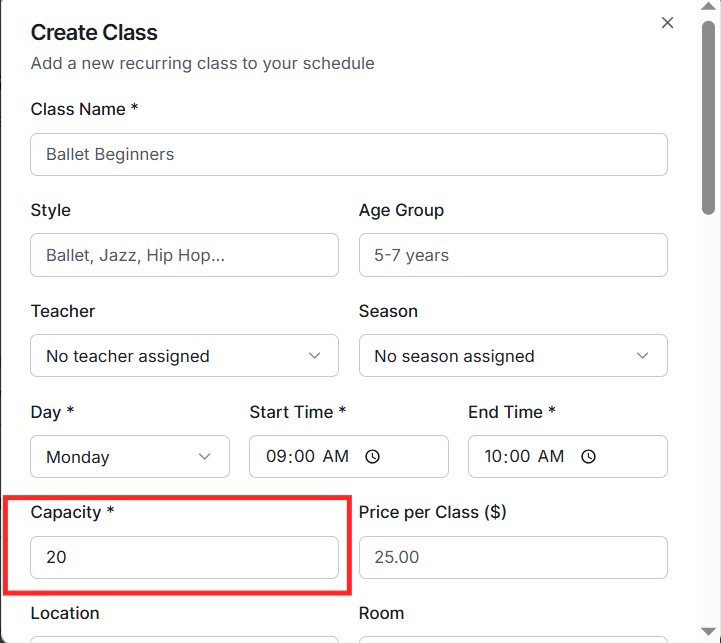
Set the maximum capacity when creating a class. The system tracks enrolments against this capacity. When a class is full, new enrolments can be added to a waitlist. You can see current enrolment vs capacity in the Classes list and in the Class Utilisation report.