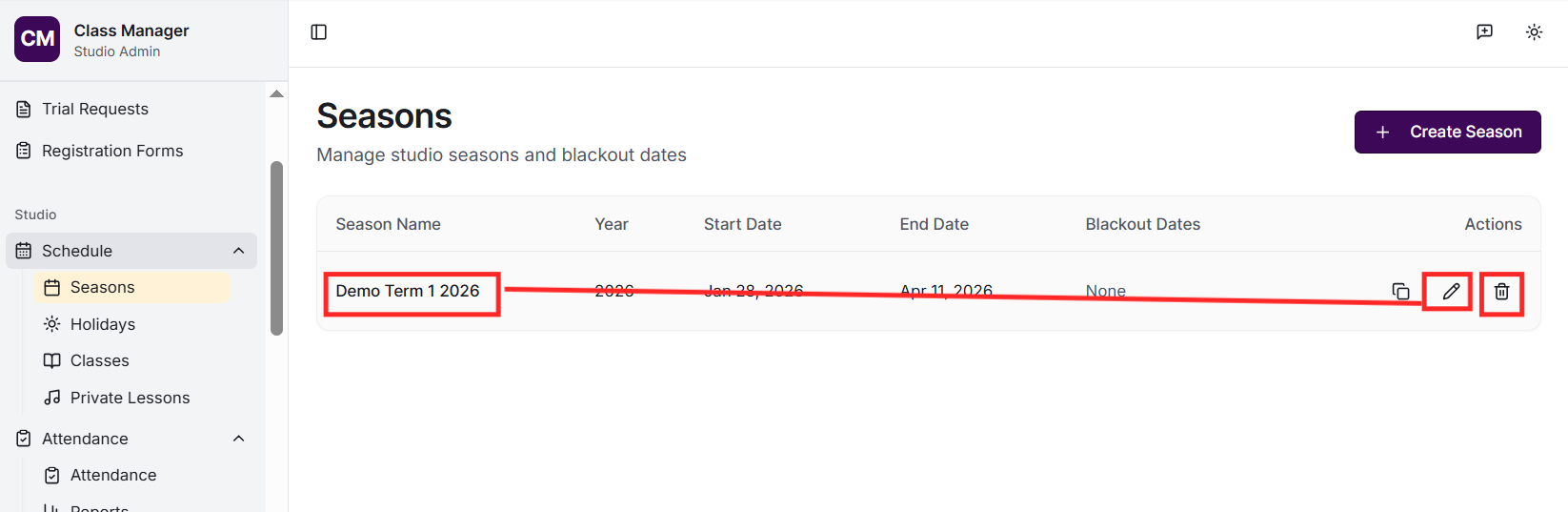
Seasons (also called terms) represent your studio's academic periods, such as Term 1, Winter Session, or Summer Intensive. Each season has a start and end date. Classes and enrolments are organised around seasons, and sessions are automatically generated based on the season dates and class schedules.
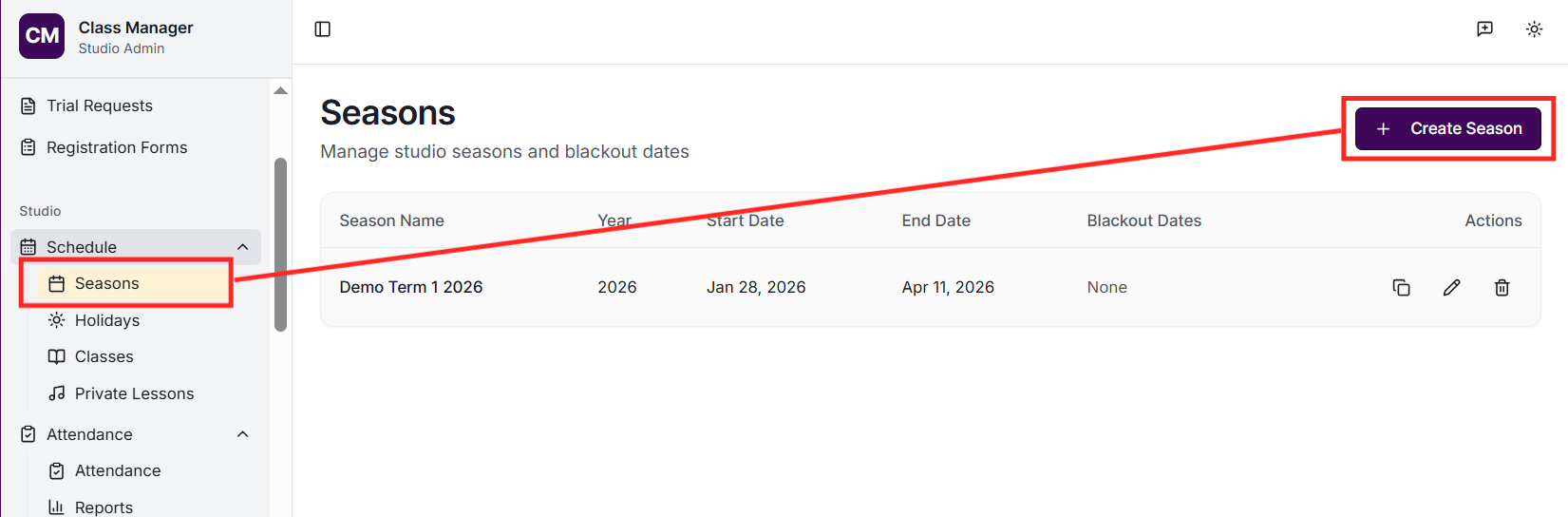
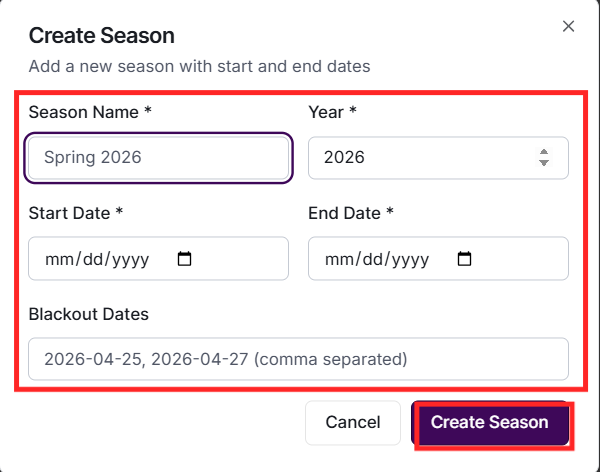
Go to Seasons in the sidebar, then click 'Add Season'. Enter a name (e.g., 'Term 1 2025'), select the start and end dates, and click Create. The system will automatically generate class sessions for any classes created within this season.
Yes, you can have overlapping seasons if needed (e.g., for different programs running simultaneously). Each class is associated with a specific season, allowing you to run holiday programs alongside regular term classes.
When a season ends, the classes and sessions remain in the system for historical records and reporting. You can create a new season and either create new classes or roll over existing class structures. Enrolments don't automatically carry over - you'll need to re-enrol students for the new season.
Click on a season card to view its details. You can edit the name and dates. Be cautious when changing dates as this affects session generation. Deleting a season will also delete all associated classes, sessions, enrolments, and attendance records.