Studios can now run a complete gift card system directly inside My Studio Manager, from creation to redemption.
Gift cards act as a prepaid balance that can be purchased by customers or issued directly by your studio for promotions, referrals, loyalty rewards, refunds, or goodwill gestures.
They can be sold, sent, tracked, and redeemed across your existing payment flows.
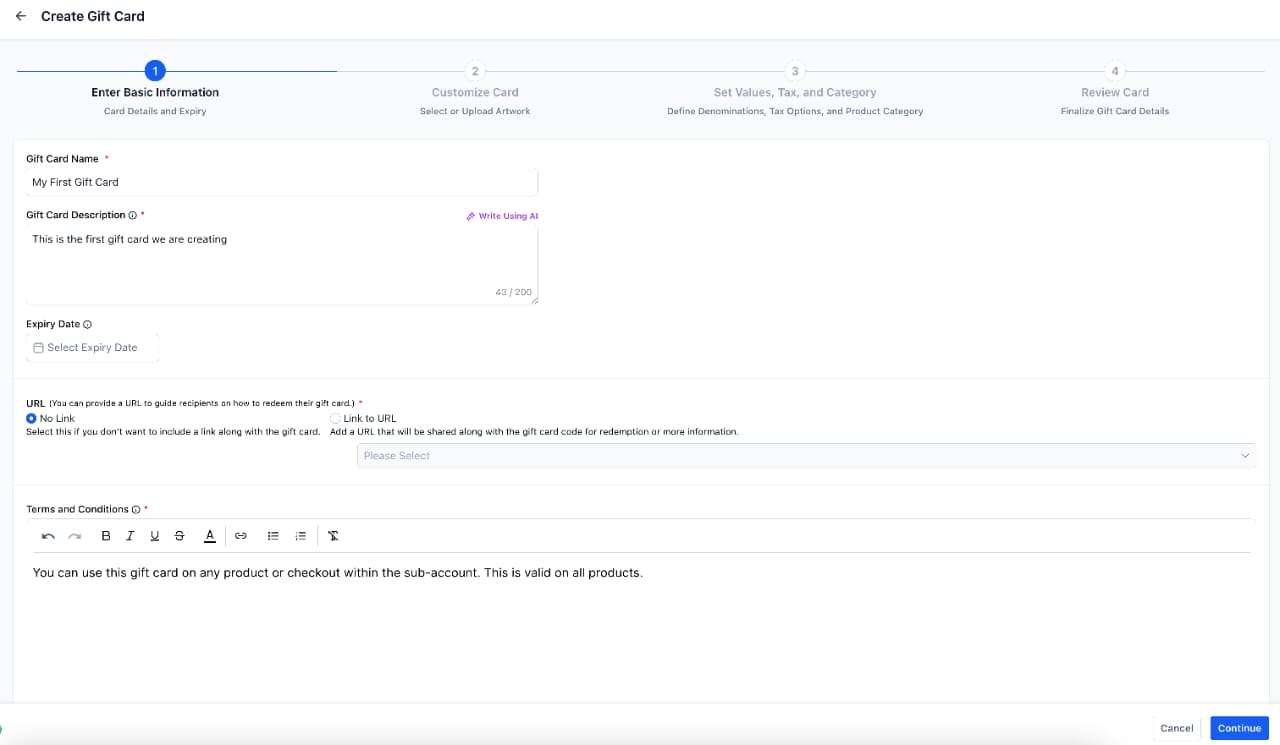
You can now create Gift Card products from Payments → Gift Cards, with full control over how they look and how they’re used.
Each gift card product supports:
Custom name, description, and terms
Optional expiry dates
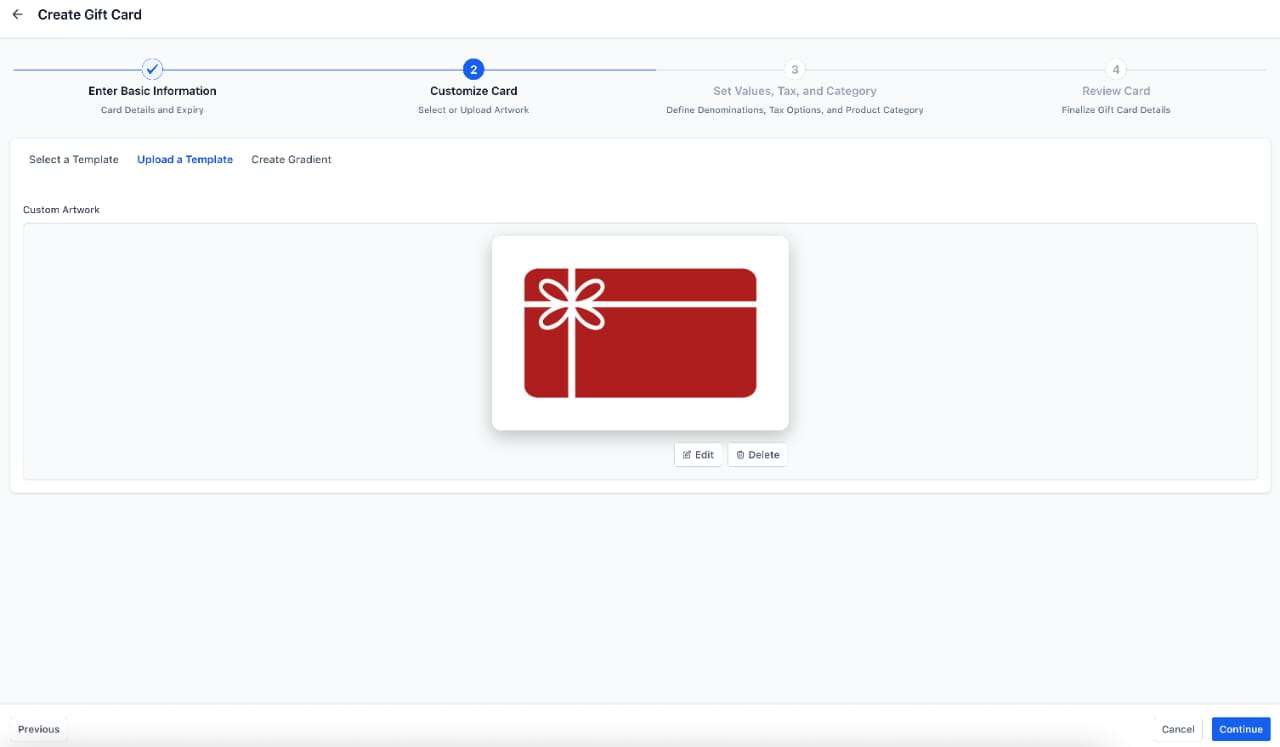
Branded artwork, uploaded designs, or custom gradients
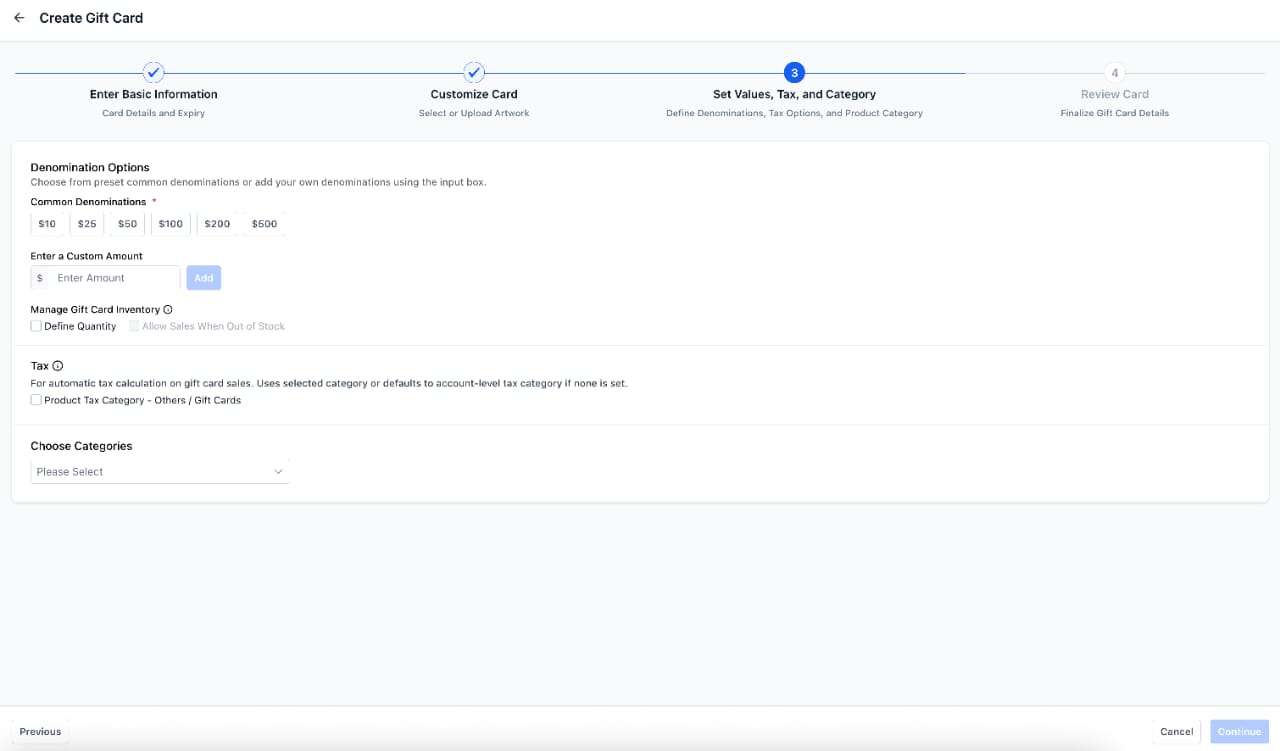
Multiple denominations with inventory tracking
Optional automatic tax application
Categorisation for organisation
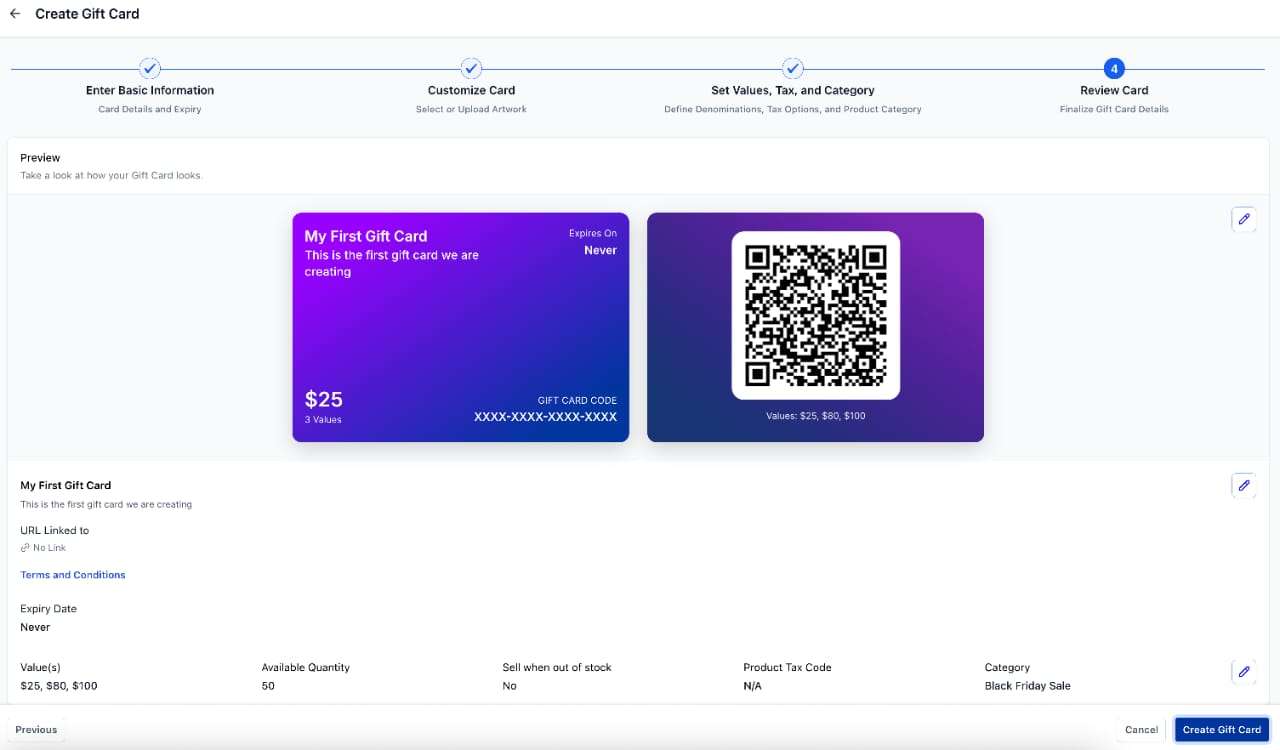
Full preview before publishing
Gift cards can be edited, archived, or deactivated at any time.
If a gift card product is deactivated, all sell and send links stop working immediately.
Inventory is applied per denomination, and gift cards are created only after the final setup step is completed.
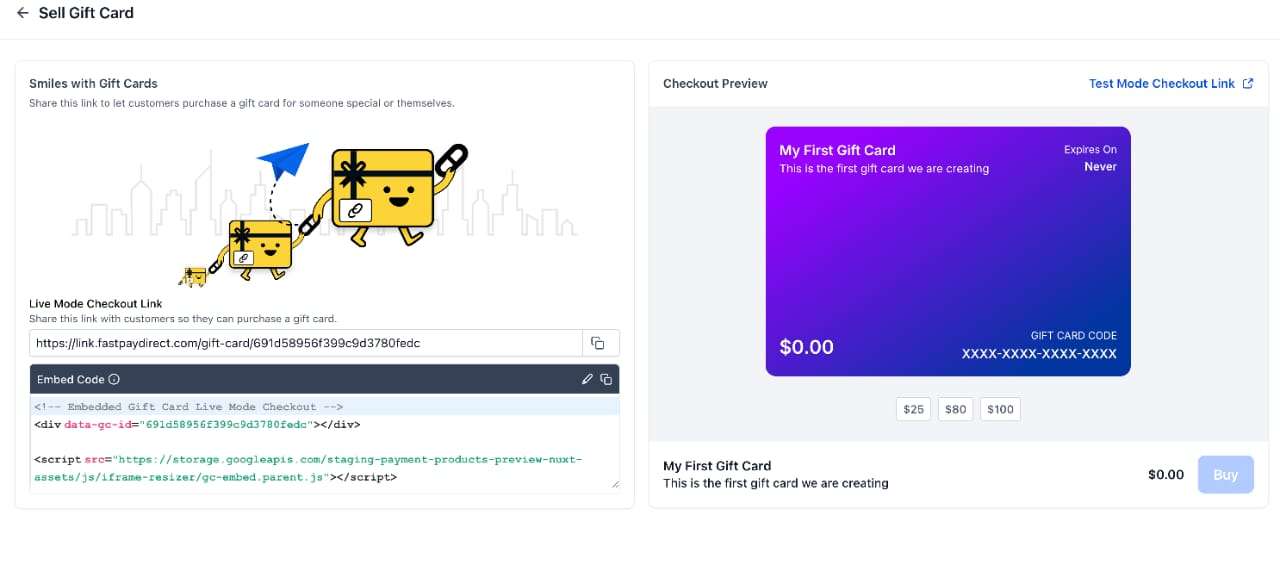
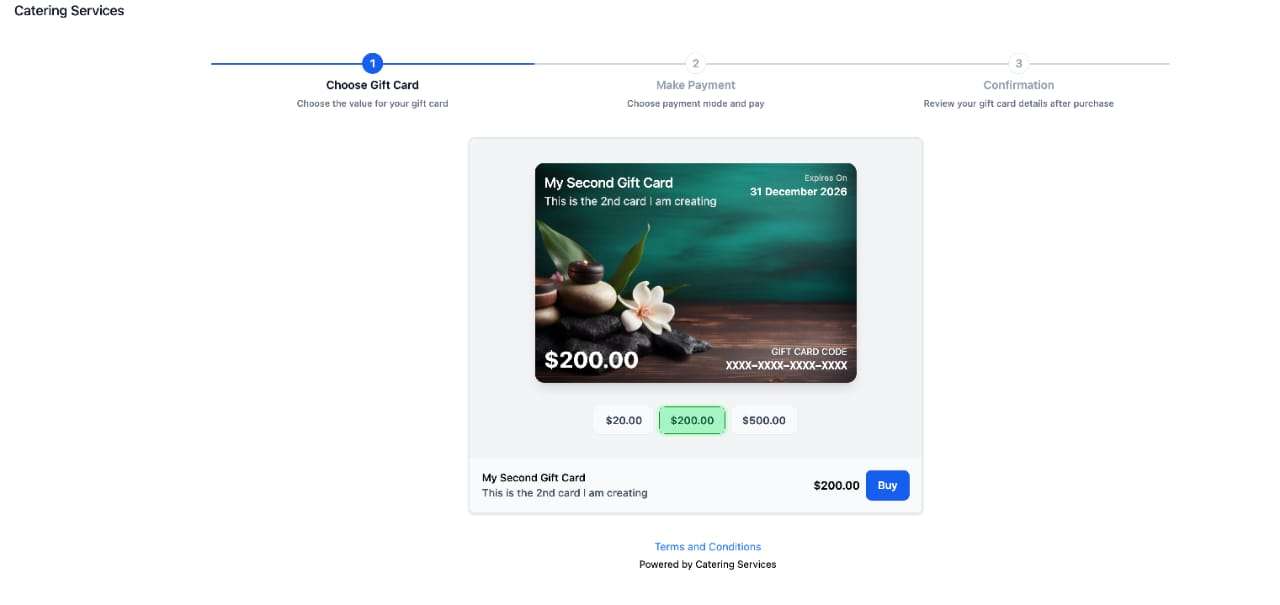
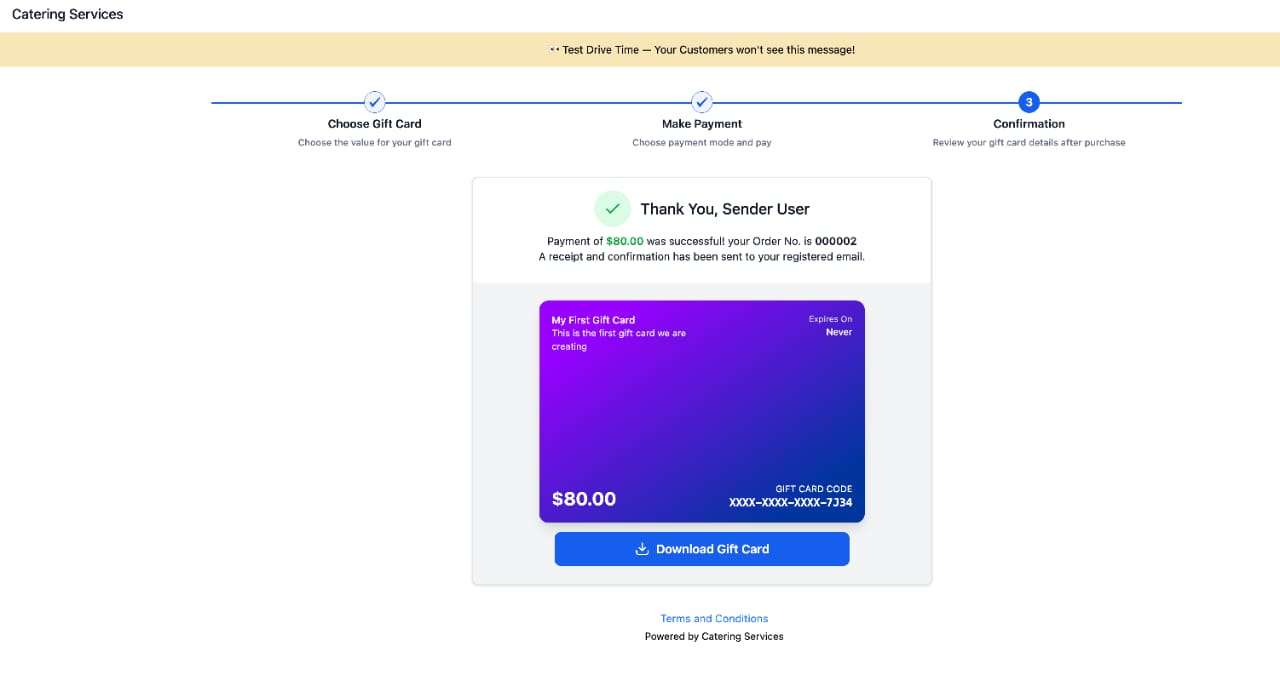
Every gift card product automatically includes a dedicated checkout page in both test and live mode.
Gift cards can be sold through:
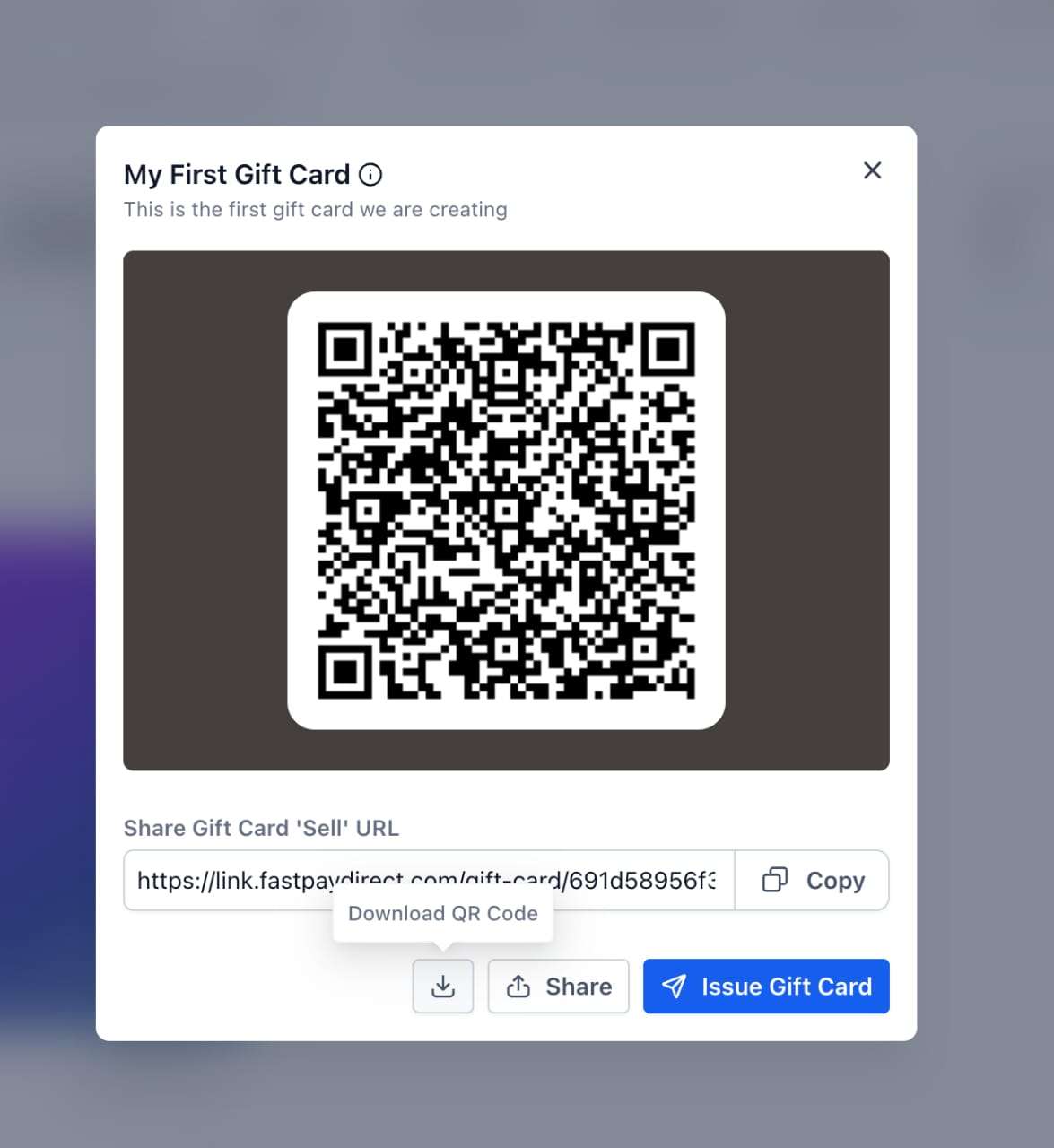
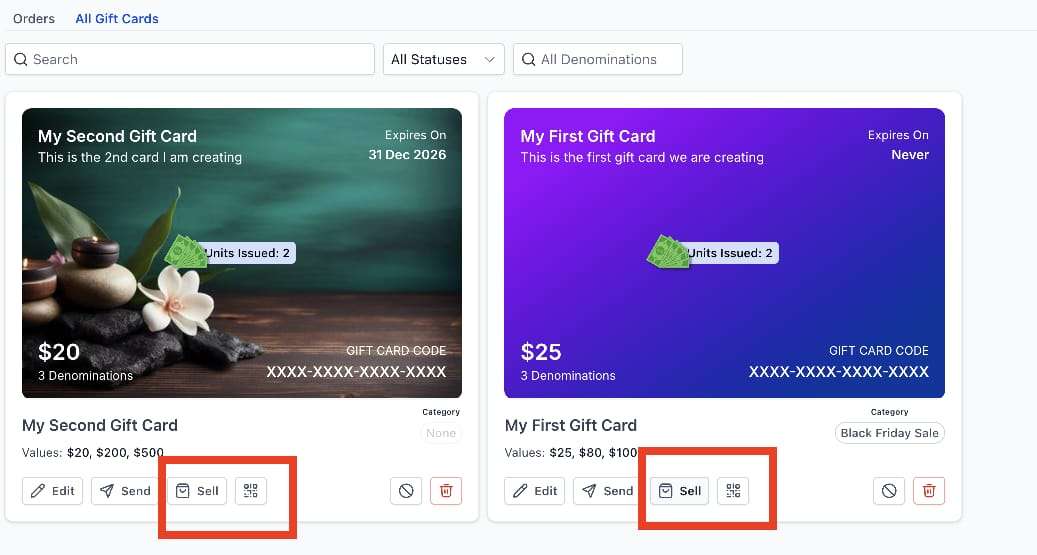
A dedicated checkout link
Embedded checkout on your website
QR codes for in-studio displays or printed materials
Existing funnels, forms, payment links, invoices, stores, calendars, and websites
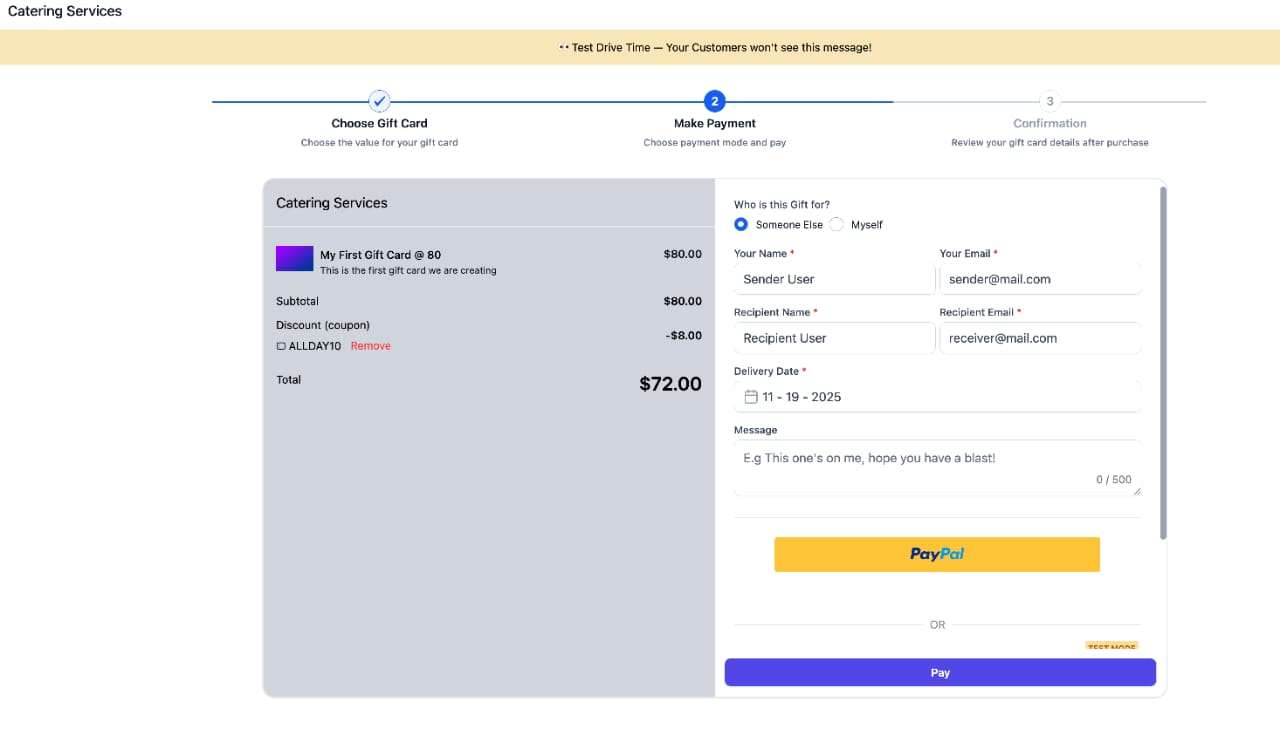
At checkout, customers can:
Choose a gift card amount
Buy for themselves or someone else
Add a message for the recipient
Send immediately or schedule delivery
Pay securely using your connected payment provider
Gift cards purchased in test mode can only be redeemed in test mode, and the same applies for live mode.
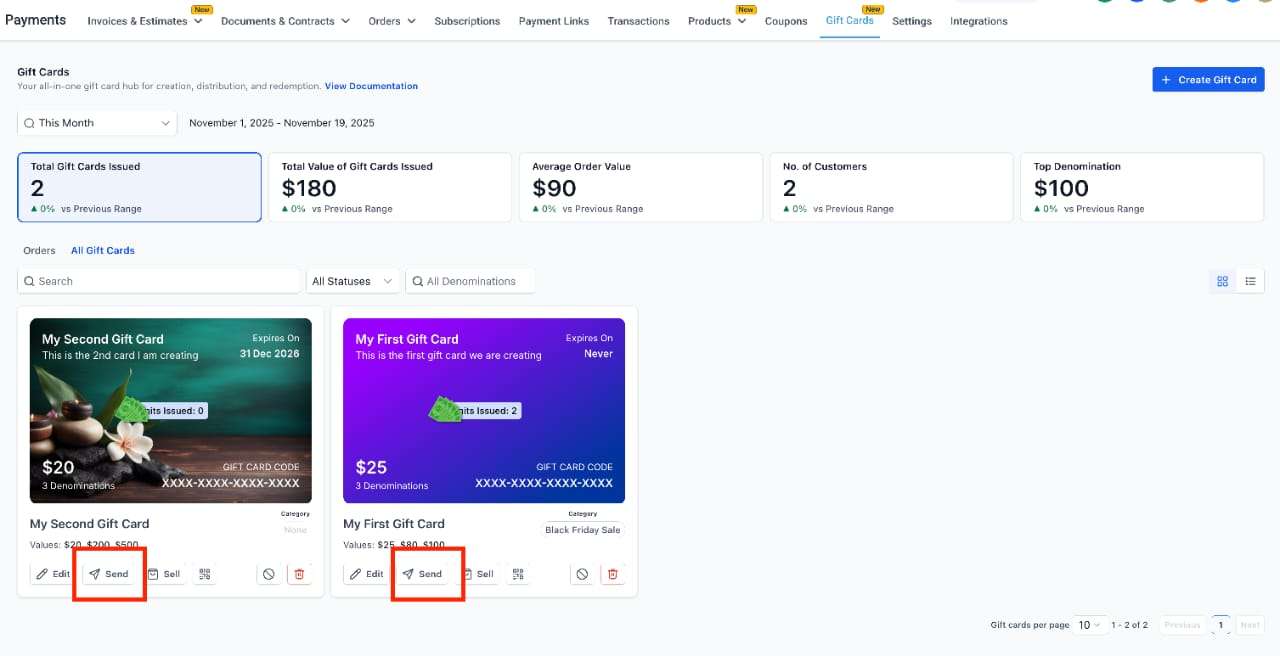
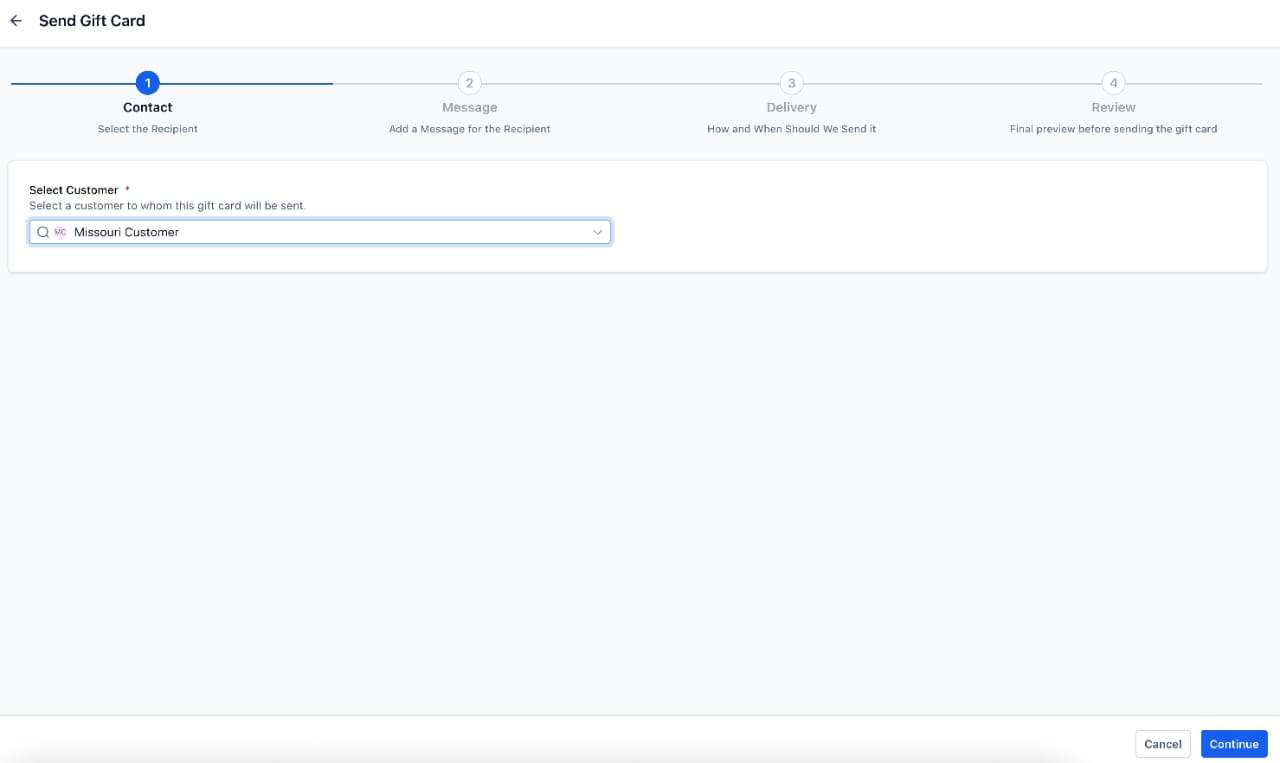
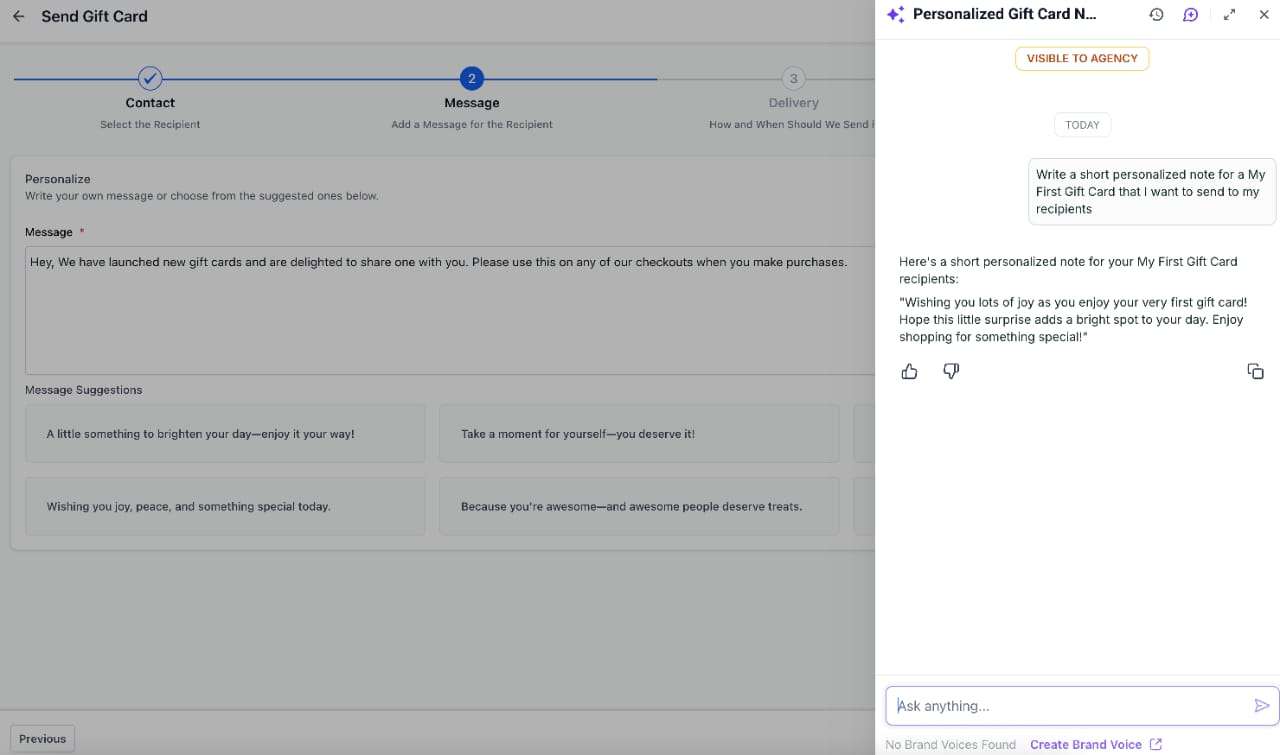
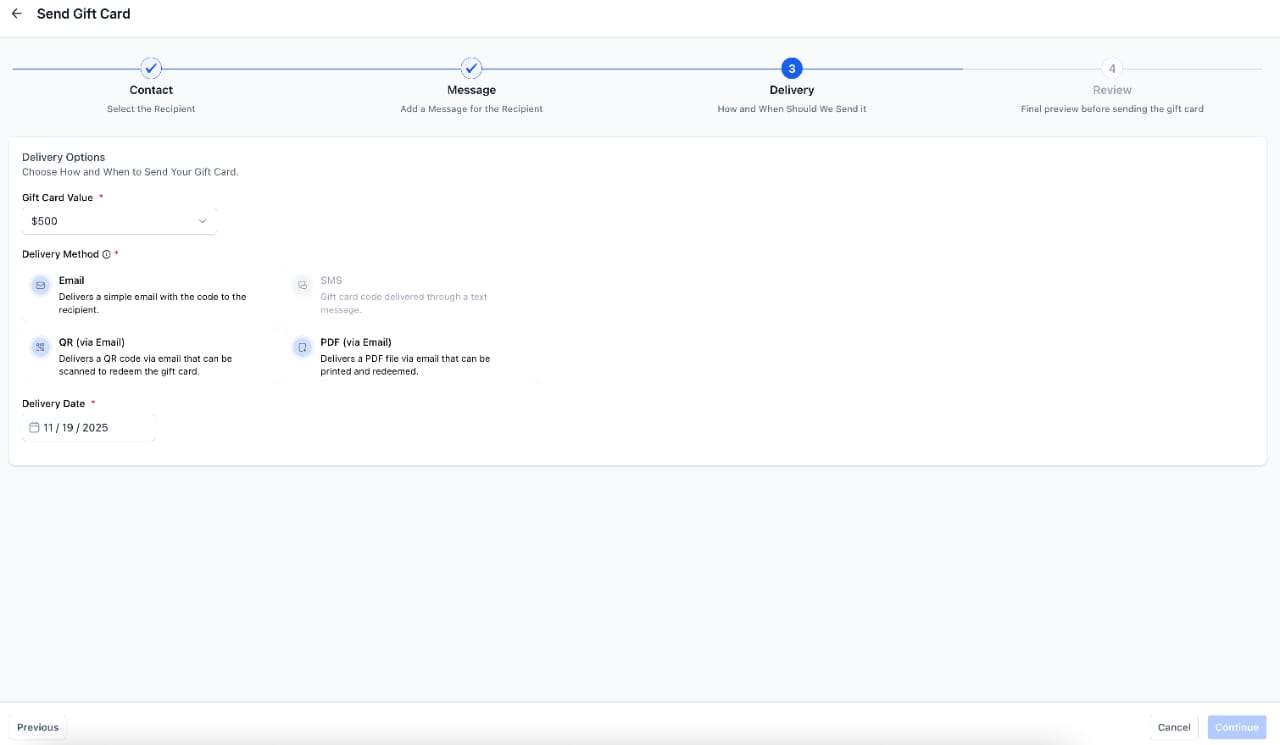
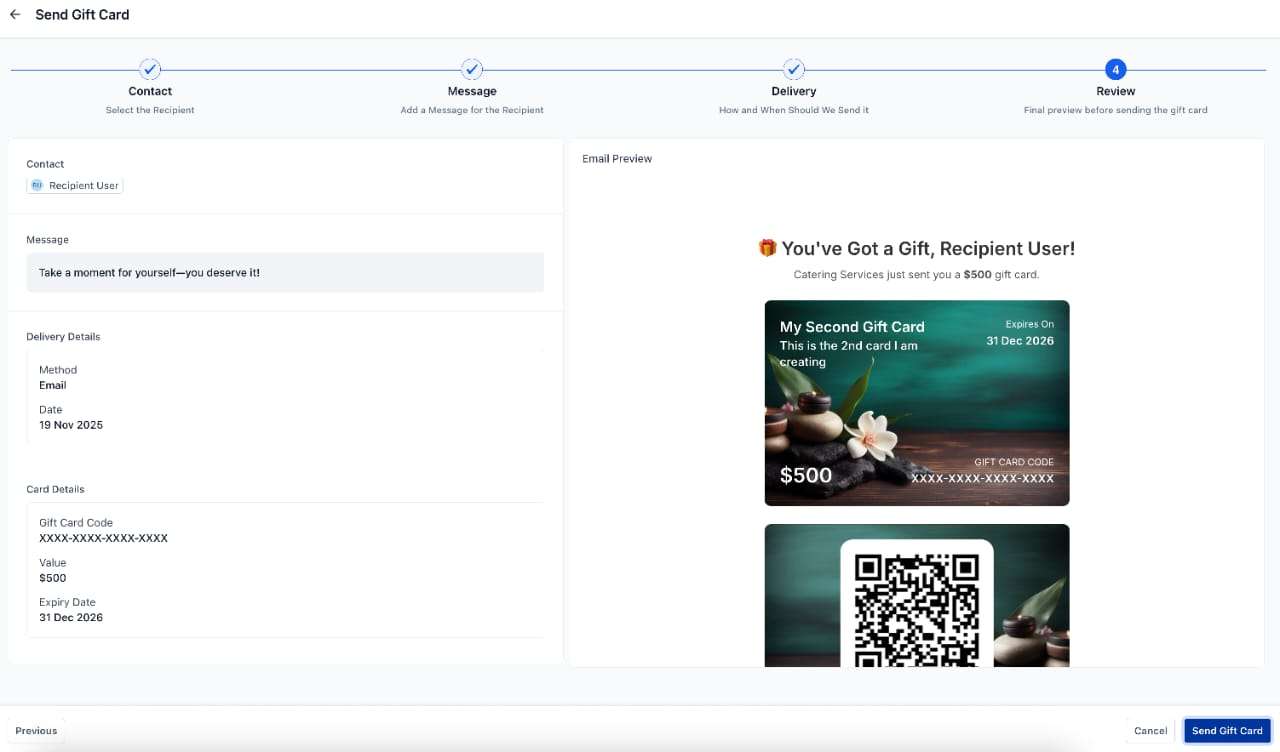
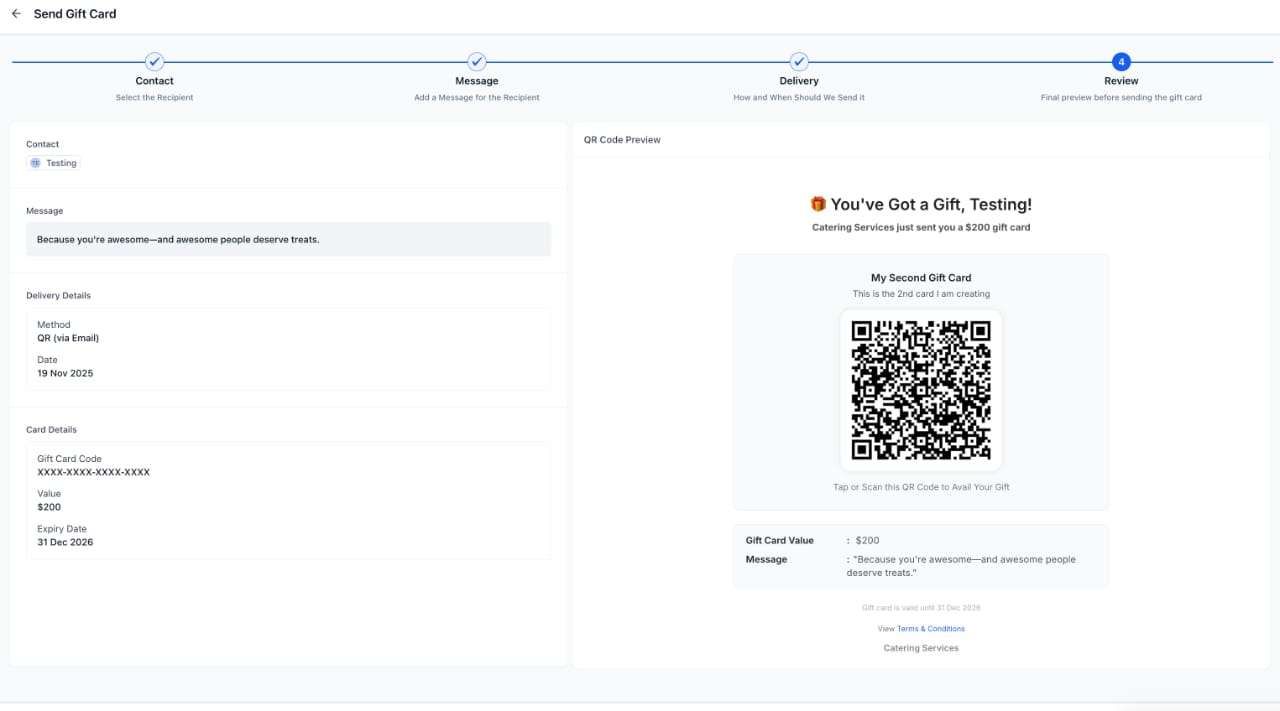
Studios can also send gift cards directly to customers without charging them.
This is ideal for:
Compensation
Rewards and loyalty programs
Refund alternatives
Customer appreciation
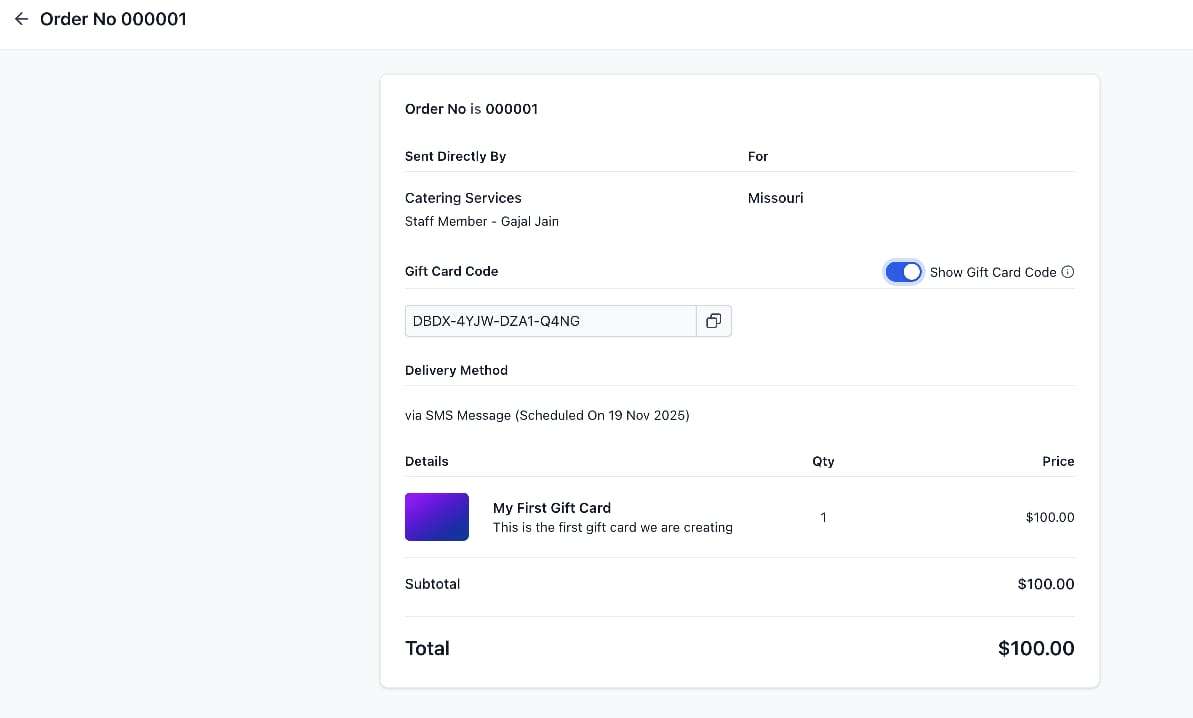
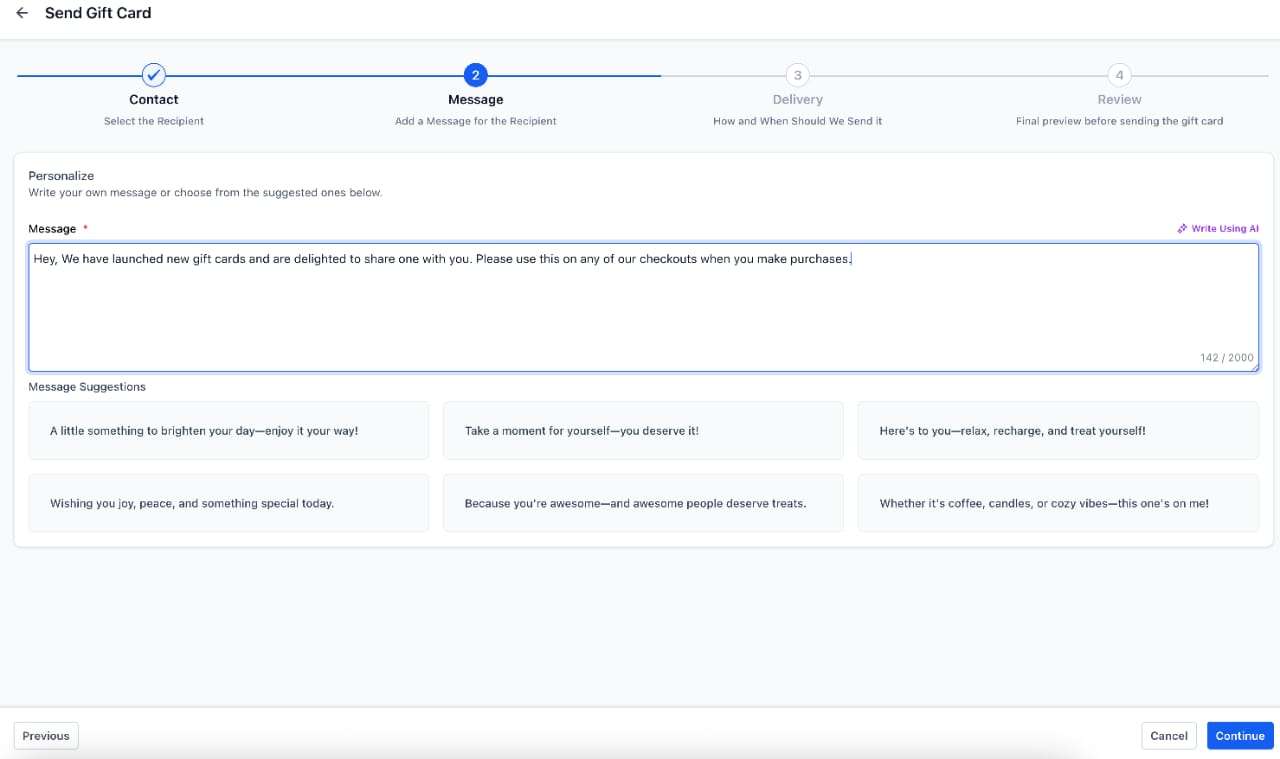
You can send gift cards via email, SMS, QR link, or PDF, with optional scheduled delivery and personalised messages.
Sent gift cards appear in Gift Card Orders, impact inventory, and are tracked separately from paid orders.
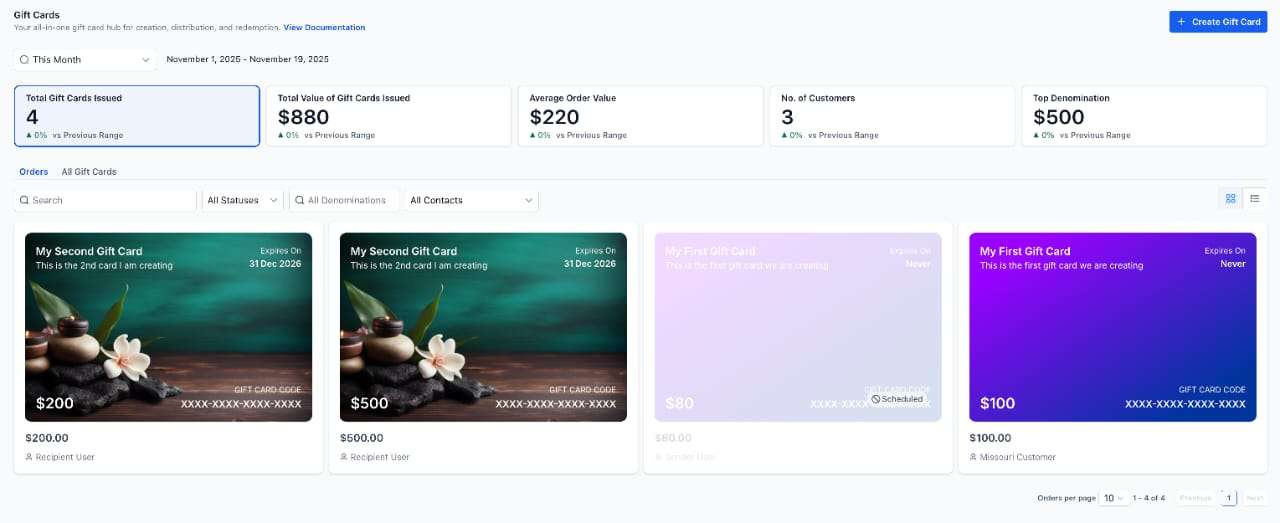
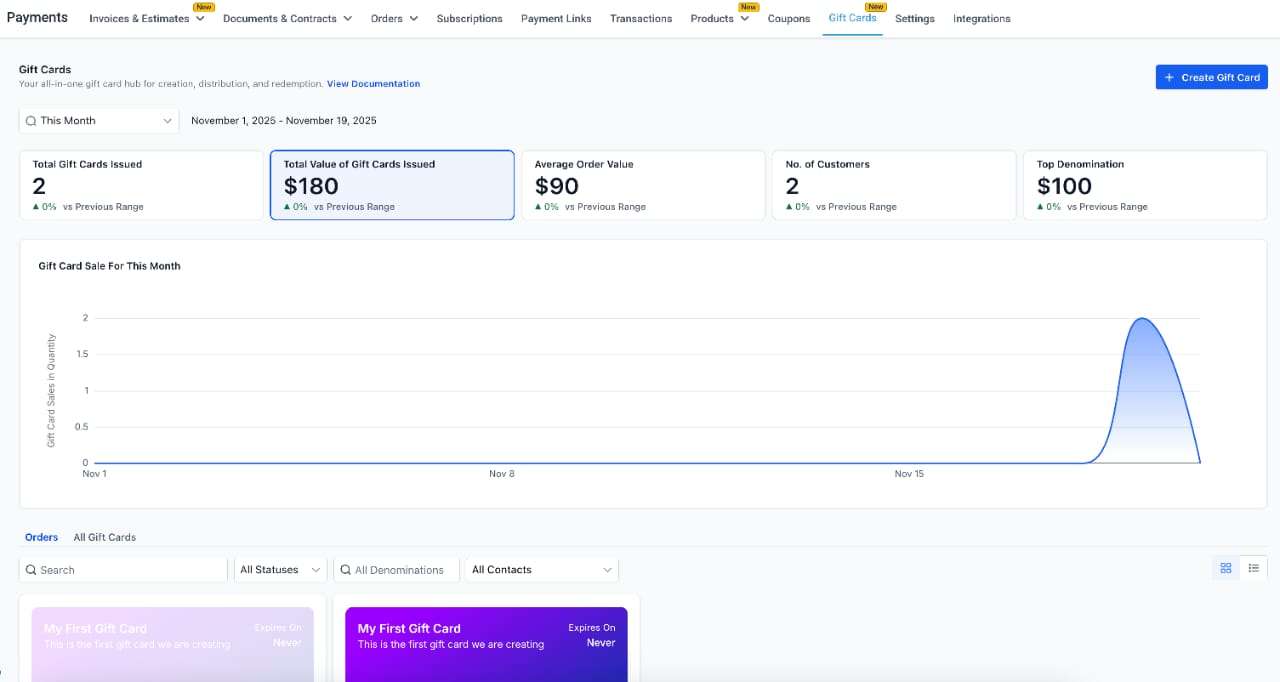
A new Gift Card Orders area shows all issued gift cards, whether sold or sent.
For each gift card, you can view:
Purchaser and recipient details
Original value and remaining balance
Expiry date
Status (scheduled, active, inactive)
Delivery method and timing
This becomes your single source of truth for gift card activity in your studio.
Customers can redeem gift cards across supported checkouts, including:
Funnels
Forms
Payment links
Invoices
Stores
Calendar payments (where supported)
Gift cards can cover full or partial payments, with any remaining balance charged to another payment method.
Subscriptions still require a payment method on file for future billing.
Gift Cards are currently available via Labs.
Once enabled, you’ll find them under:
Payments → Gift Cards → Gift Card Products
Payments → Gift Cards → Gift Card Orders
From here, you can create, sell, send, track, and manage gift cards across your studio.
Planned improvements include:
Off-session gift card redemption
Test-mode sending
More control over where gift cards can be redeemed
Partial vs full redemption rules
Automation and workflow support
Customer balance-check links
Reporting and export enhancements
Mobile and POS support
Visuals:
Gift Card Product Creation:
Gift Card Product - Sell with Direct Checkout Link:
Gift Card Product - Send to Customers:
Additional Visuals: