
Creating and using snippets
Snippets allow you to embed your class booking interface on your website.
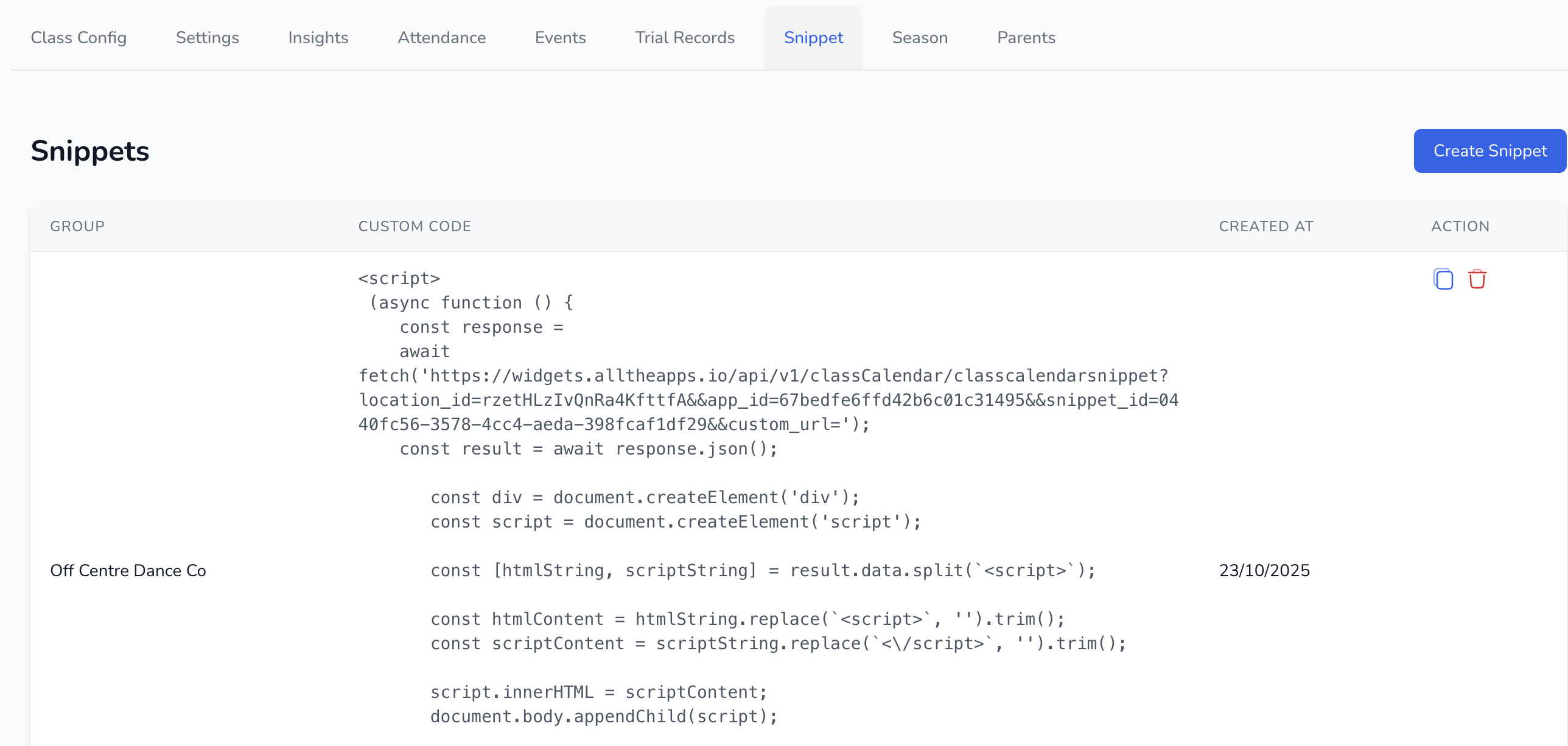
1. Navigate to the Snippet tab inside your selected group in the Class Manager.
2. Click Create Snippet. Choose the group (e.g., Off Centre Dance Co) that you want to generate a snippet for. The system generates a block of code (usually an <script> tag) that you can embed on an external site.
3. Copy the snippet code to your clipboard and paste it into the HTML of your website or landing page. When visitors view that page, they will see the class booking widget and can enrol directly without leaving your site.
4. If you update your class categories or calendars, you may need to regenerate and replace the snippet so your external site reflects the latest information.
Parent and teacher portals
The Settings page of the Class Manager includes links to two portals:
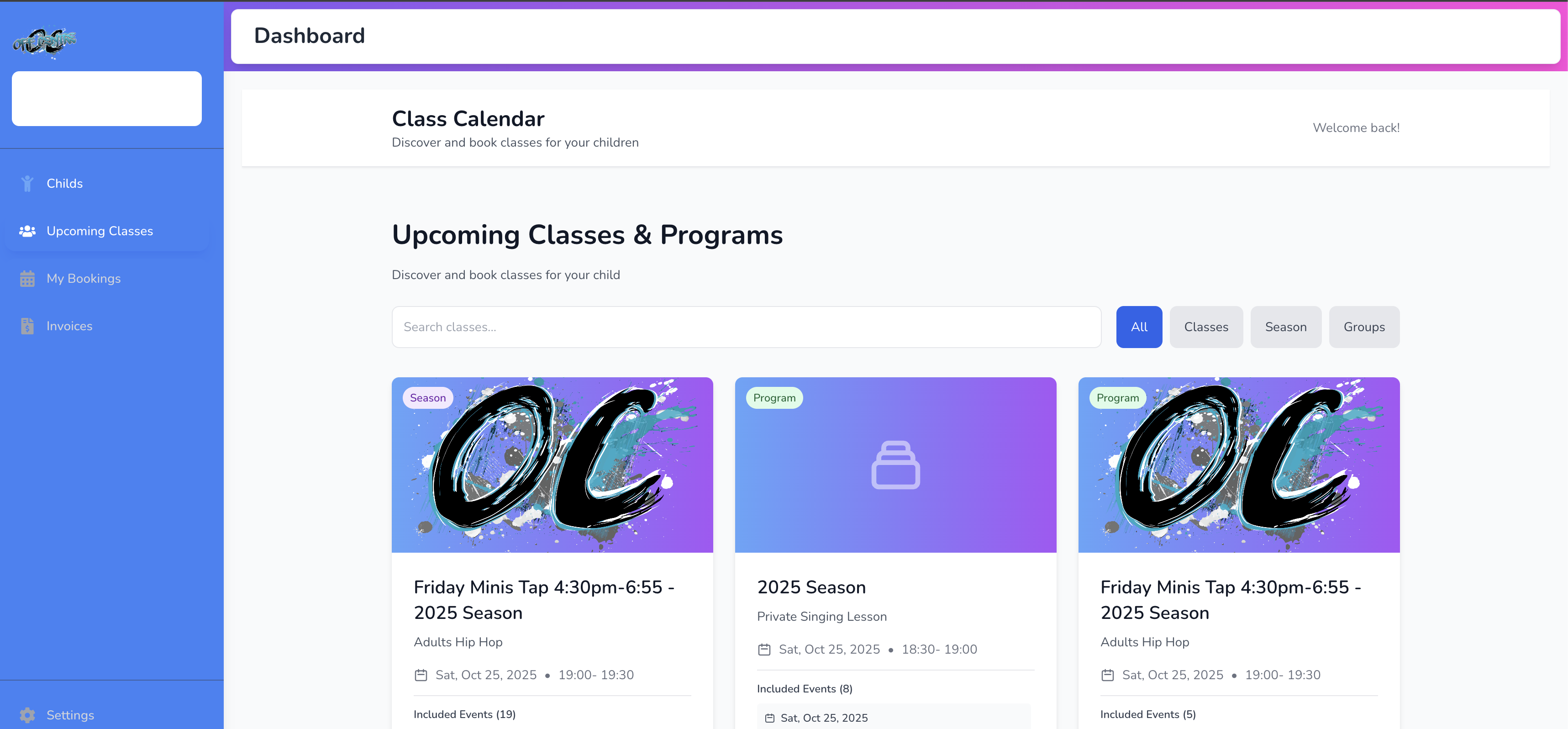
- Parent Portal: A dedicated webpage where parents can view class offerings, purchase tickets or packages and manage their existing bookings. This portal improves customer experience by consolidating all bookings under one login. Share the Parent Portal link with your clients via email or embed it on your website.
- Teacher Portal (Under development): A secure portal that allows instructors to view upcoming classes, see student lists and mark attendance. Each teacher must have an account; you can create teacher accounts under the Users section in My Studio Manager. Once enabled, share the Teacher Portal link and login credentials with your staff.
Custom domain and branding
In the Settings tab you can configure a custom domain (e.g., classes.yourstudio.com) for your portals and snippets. Enter your desired subdomain and follow the setup guide to configure DNS records. You can also upload a logo and set brand colours so that the booking widgets and portals match your studio’s branding.

Tips
- Secure access: Only share the Teacher Portal link with staff. Parents should use the Parent Portal.
- Test your snippet: Before publishing your website update, test the snippet on a staging page to ensure bookings work correctly.
- Update regularly: Whenever you create new categories, calendars or change pricing, review your snippets and portals to ensure they reflect the latest information.